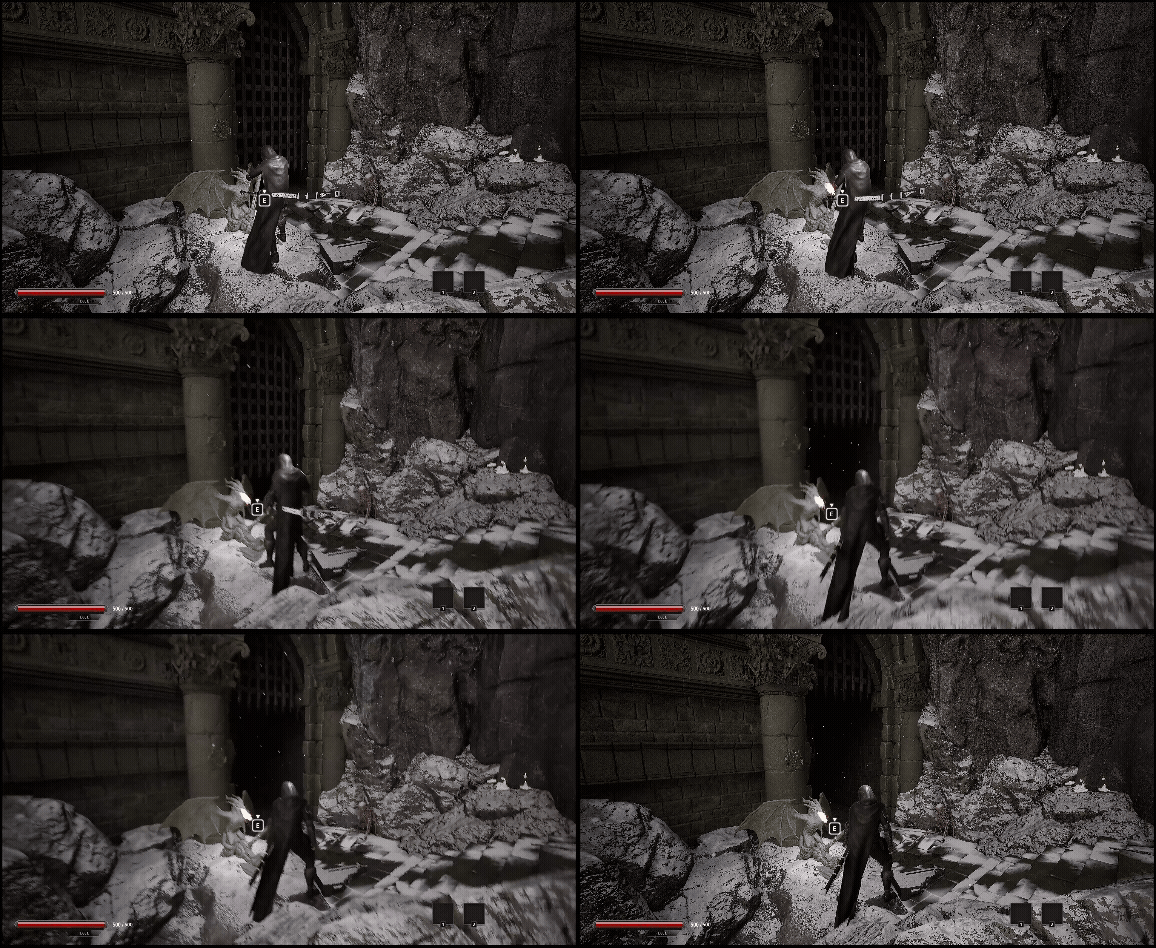
미리보기
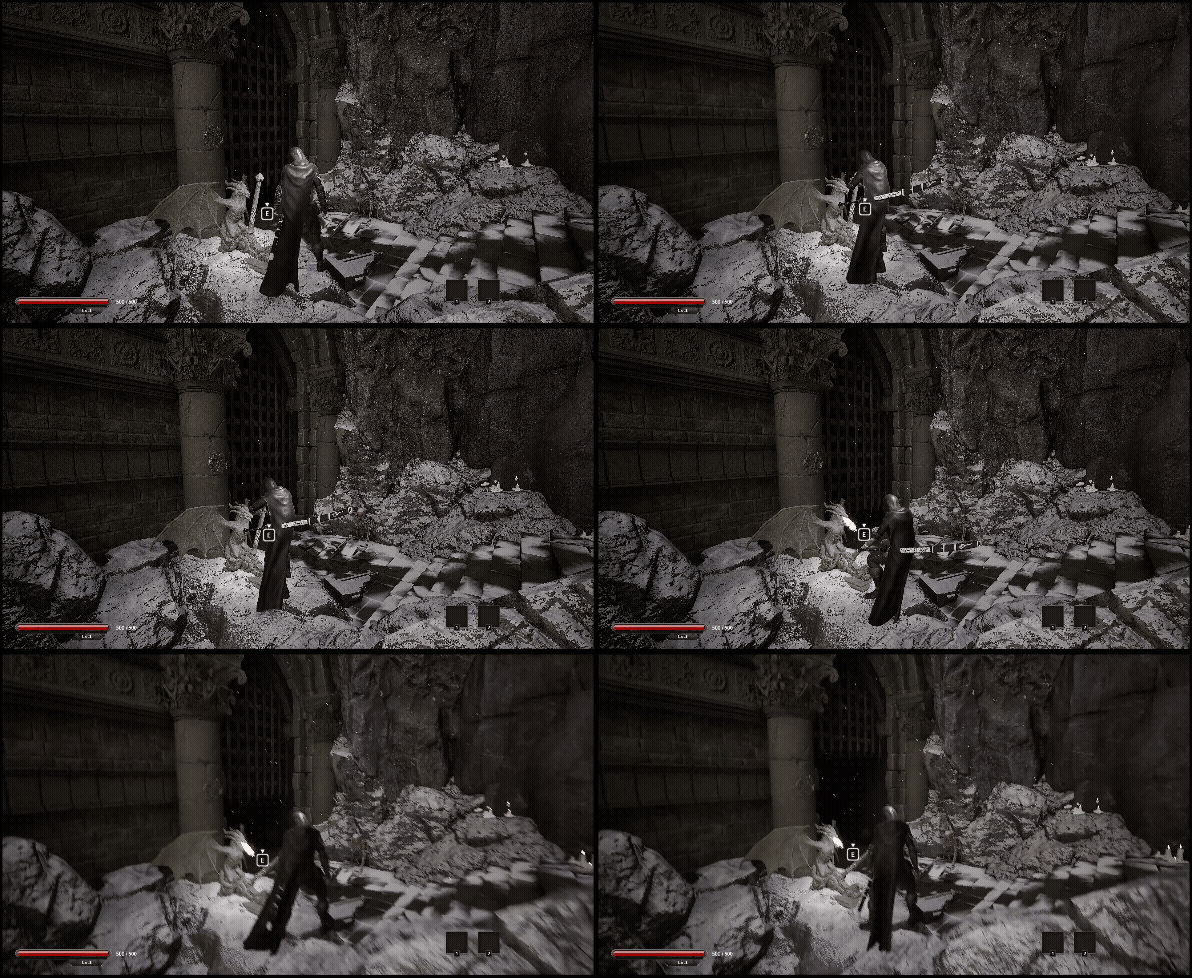

구현내용
플레이어와 상호작용할수있는 오브젝트를 추가했습니다
추가한 오브젝트는 이와 같습니다아이템, 재화, 경험치를 루팅할수있는 체스트
- 아이템, 재화 및 경험치, 포인트 등을 파밍할수있는 체스트
- 열수있는 문
- 레버를 당기면 열리는 문
- 앞으로 밀어서 여는 문
이전의 만들어진 상호작용은 이와 같습니다
2025.12.19 - [Unreal 프로젝트 다이어리/두번째 프로젝트] - Unreal - 상호작용 프롬프트
Unreal - 상호작용 프롬프트
구현내용세키로 처럼 아이템을 픽업할때 혹은 인터렉션 상호작용할때플레이어에게 무슨 키를 사용해서 상호작용할수있는지 픽업 인디케이터인상호작용 프롬프트를 만들었습니다 게임플레이
lucodev.tistory.com
사용된 클래스
| 사용된 클래스 | 사용 목적 |
| InteractionComponent(액터컴포넌트) | 플레이어의 상호작용을 담당하는 컴포넌트 |
| InteractionCollision(액터) | 상호작용 가능한 오브젝트를 인식하기 위한 전용 충돌 영역 |
| RootingBox(액터) | 아이템 파밍가능한 체스트 |
| SingleDoor(액터) | 힌지 방식 문 |
| DoubleDoor(액터) | 레버로 당겨서 위아래로 움직이는 문 |
| DoubleDoorLever(액터) | DoubleDoor를 움직이는 트리거 레버 |
| BigDoor(액터) | 손으로 밀어서 서서히 열리는 문 |
구현C++
플레이어의 모든 상호작용은 E키 또는 G키 를 통해 수행할 수 있습니다.
상호작용 가능한 오브젝트에는 상호작용 프롬프트가 표시되어,
플레이어가 별도로 키를 찾아보지 않아도
어떤 키를 사용해 상호작용할 수 있는지 직관적으로 알 수 있습니다.
위의 포스팅에서 미리 자세하게 구현방식을 설명해놨습니다
하지만 한번더 설명드리면 플레이어는 InteractionComponent라는 컴포넌트를 소유한뒤
해당 컴포넌트에서 플레이어의 상호작용에 대한 모든 기능을 책임분리 하여 작동하고있습니다.
TryInteraction이라는 함수로 모든 인터렉션을 구별 및 행동을 수행합니다
void UUInteractionComponent::TryInteraction()
{
	if (!currentCollision)
		return;

	TArray<C_ParkourCondition> conditions =
	{
		{ [this]() { return CanLedgeWalkLeft(); },     [this]() { DoLedgeWalkLeft(); } },
		{ [this]() { return CanLedgeWalkRight(); },    [this]() { DoLedgeWalkRight();} },
		{ [this]() { return CanActiveElavator(); },    [this]() { DoActiveElavator(); } },
		{ [this]() { return CanLadderUp(); },		   [this]() { DoLadderUp(); } },
		{ [this]() { return CanLadderDown(); },        [this]() { DoLadderDown(); } },
		{ [this]() { return CanActiveSaveCube(); },    [this]() { DoActiveSaveCube(); } },
		{ [this]() { return CanActivateChest(); },		[this]() { DoActivateChest(); } },
		{ [this]() { return CanActivateSingleDoor(); },    [this]() { DoActivateSingleDoor(); } },
		{ [this]() { return CanActivateDoubleDoor(); },    [this]() { DoActivateDoubleDoor(); } },
		{ [this]() { return CanActivateBigDoor(); },    [this]() { DoActivateBigDoor(); } },
	};
	bExecuted = false;
	for (int32 i = 0; i < conditions.Num(); ++i)
	{
		bExecuted = conditions[i].TryExecute();
		if (!bExecuted)
			continue;

		if (currentCollision->interactionType != EInteractionType::ActivateChest &&
			currentCollision->interactionType != EInteractionType::ActivateSingleDoor)
		{
			mainChar->LockAction("Jump", true);
			mainChar->LockAction("Draw", true);
			mainChar->LockAction("Attack", true);
		}

		mainChar->bInteracting = false;
		break;
	}
}
RootingBox
플레이어는 이와 같은 재화, 아이템, 포인트를 사용합니다
- Gold & Silver (재화)
- Item(물약 등등)
- 경험치 포인트
- Lacrima (어빌리티 업그레이드 용 포인트)
- StatPoint, AbilityPoint
루팅박스에서는 StatPoint, AbilityPoint를 제외하고 모든 아이템 및 포인트를 루팅할수 있게 설계하였습니다
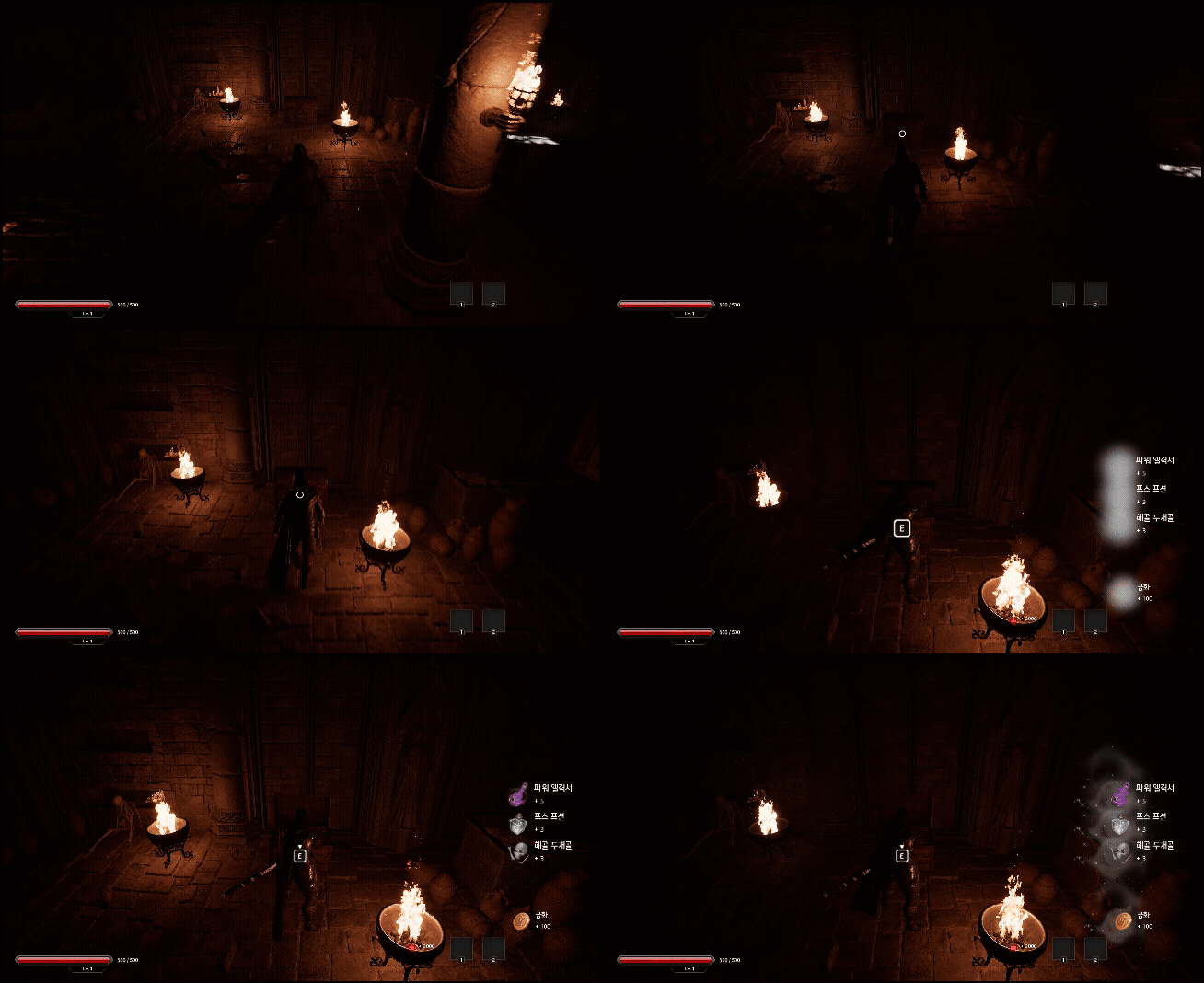
E키로 상호작용하며 체스트박스가 열리는 연출을 표현하였습니다
열리는 방식은 Lerp를 사용하여 움직임을 표현하였습니다
void ARootingBox::UpdateChestTop(float deltaTime)
{
	openAlpha += deltaTime * 1.5f;

	if (openAlpha >= 1.f)
	{
		openAlpha = 1.f;
		chest_Top->SetRelativeRotation(openRot);
		SetActorTickEnabled(false);
		return;
	}

	FRotator newRot = FMath::Lerp(closedRot, openRot, openAlpha);
	chest_Top->SetRelativeRotation(newRot);
}
리워드테이블입니다
해당 Reward를 설정하여 해당 루팅 박스를 상호작용한뒤 플레이어는 아이템 및 포인트를 획득 할 수 있습니다
static TMap<ERootingRewardType, FRewardFunc> rewardTable =
{
	{
		ERootingRewardType::Item,
		[](AMainCharacter* c, const FRootingRewardData& r)
		{
			if (c && c->invenComp)
				c->invenComp->AddItem(r.itemID, r.count);
		}
	},

	{
		ERootingRewardType::Silver,
		[](AMainCharacter* c, const FRootingRewardData& r)
		{
			if (c && c->invenComp)
				c->invenComp->AddSilver(r.count);
		}
	},

	{
		ERootingRewardType::Gold,
		[](AMainCharacter* c, const FRootingRewardData& r)
		{
			if (c && c->invenComp)
				c->invenComp->AddGold(r.count);
		}
	},

	{
		ERootingRewardType::Exp,
		[](AMainCharacter* c, const FRootingRewardData& r)
		{
			if (c && c->statComp)
				c->statComp->AddExp(r.count);
		}
	},

	{
		ERootingRewardType::LacrimaPoint,
		[](AMainCharacter* c, const FRootingRewardData& r)
		{
			if (c && c->statComp)
				c->statComp->AddLacrima(FItemData(), r.count);
		}
	}
};
void ARootingBox::GiveItemToPlayer()
{
if (!mainChar)
return;
for (const FRootingRewardData& reward : rewards)
{
if (const FRewardFunc* func = rewardTable.Find(reward.rewardType))
(*func)(mainChar, reward);
}
}
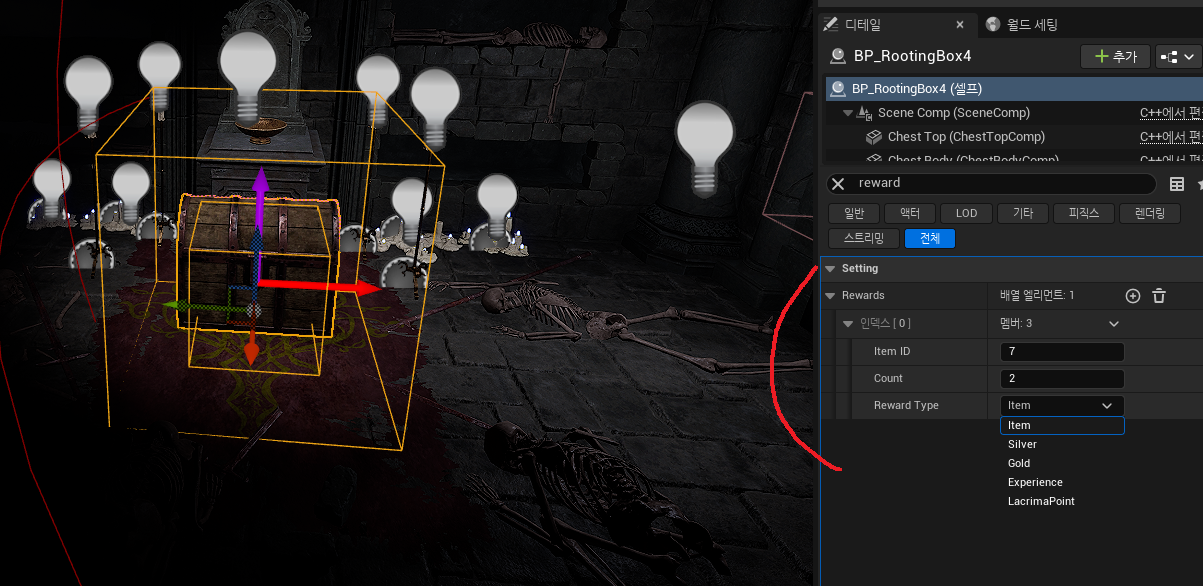
상자를 선택하여 Reward의 종류 및 갯수를 쉽게 설정이 가능합니다
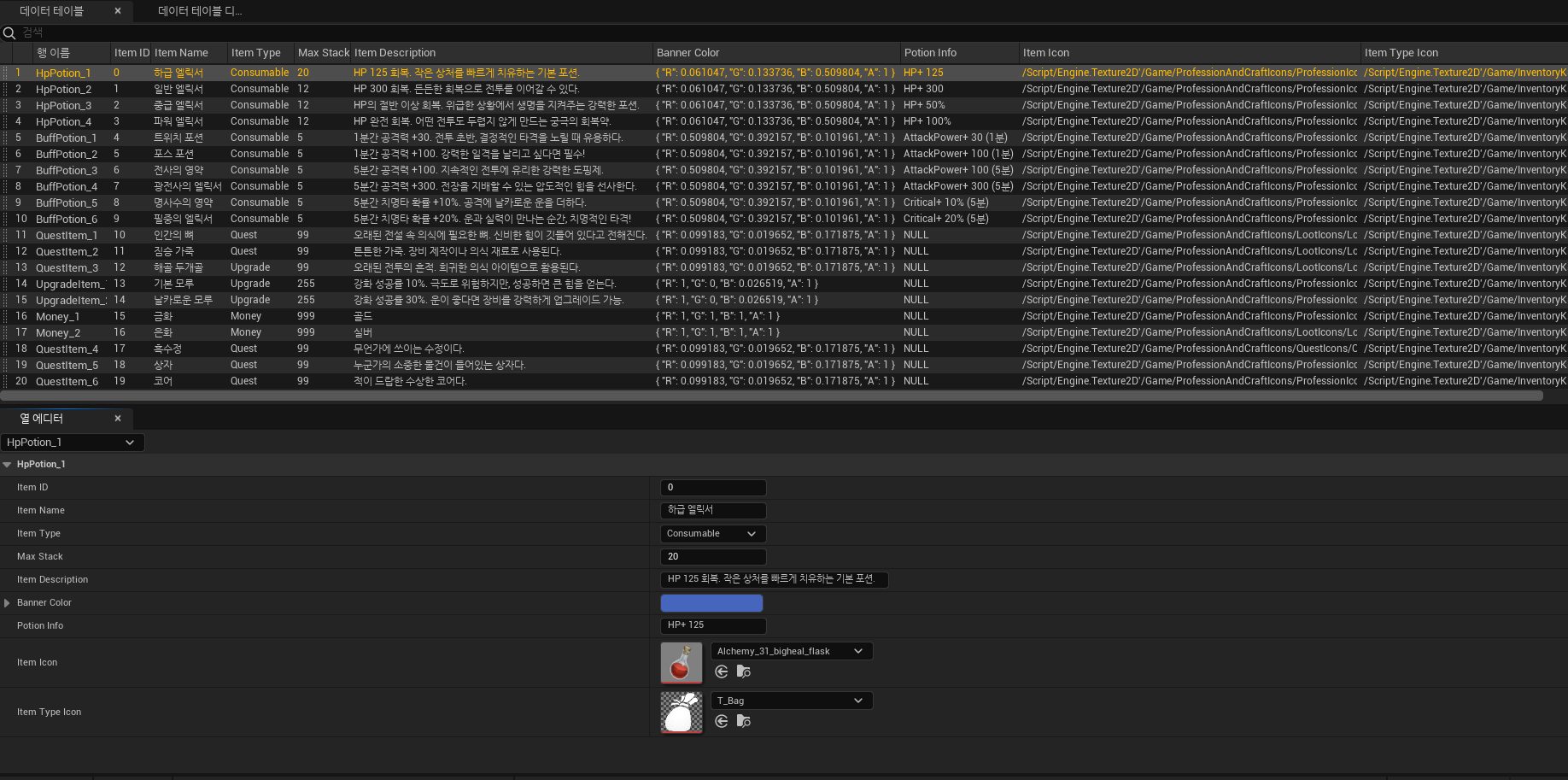
아이템 데이터 테이블의 ItemID를 넣으면 작동합니다
가까이가면 상호작용 프롬프트가 작동하며 E키를 누르면 Reward배열의 rewardtable값의 보상을 획득할 수 있습니다.
DoubleDoor
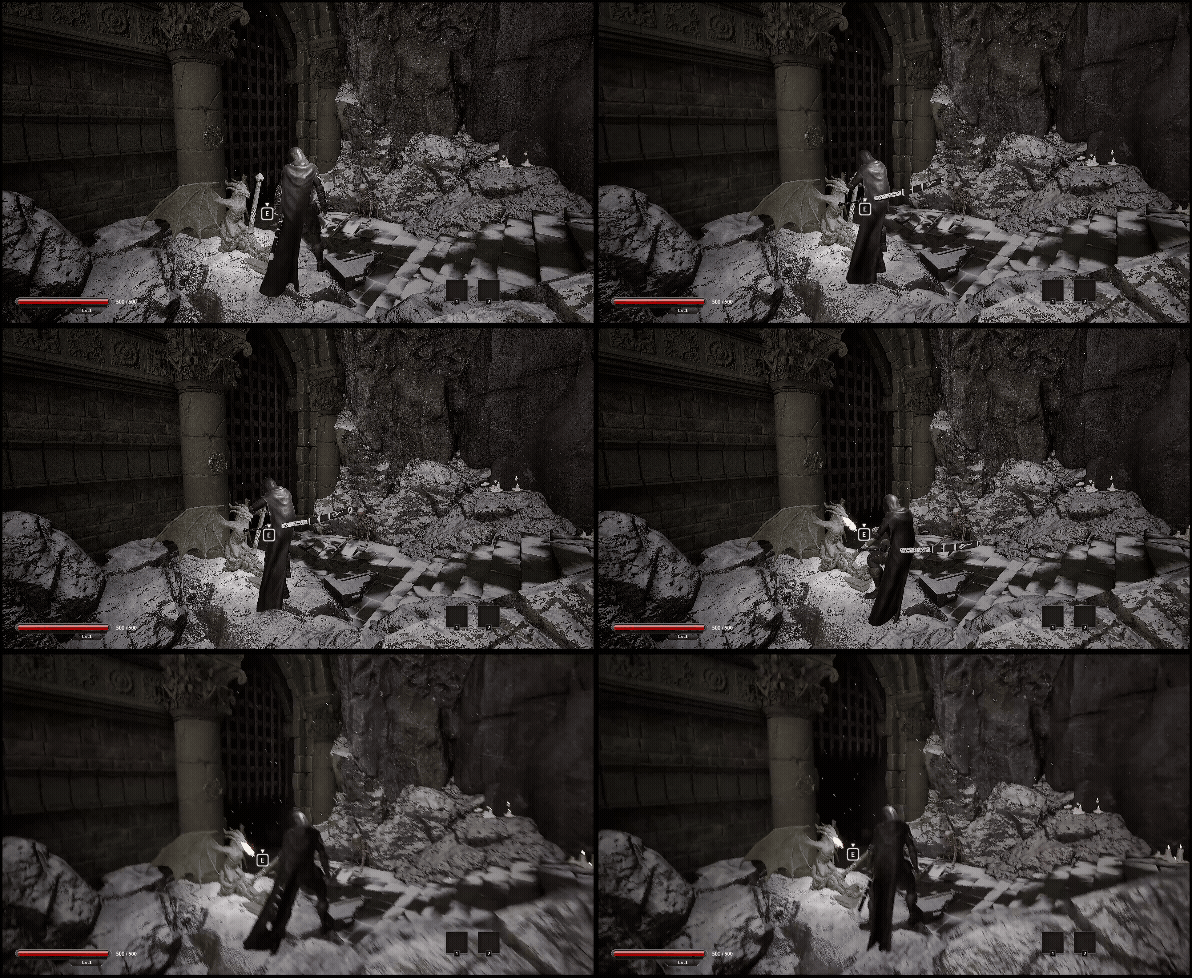
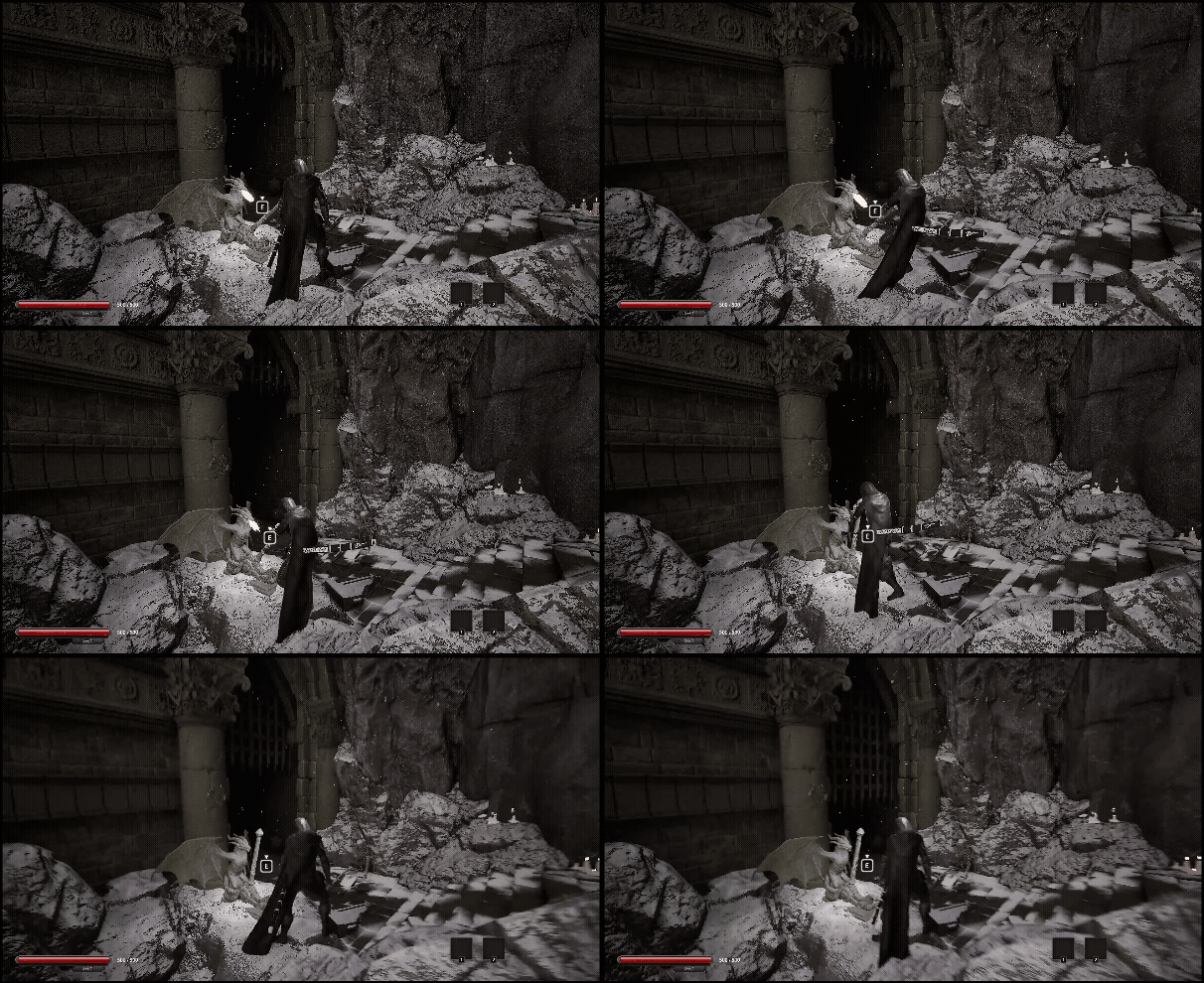
해당 문은 레버와 문으로 구성된 구조로
플레이어가 레버를 당기면 문이 열리는 방식으로 동작합니다
레버와 문은 언리얼 엔진의 태그 시스템을 사용해 서로연결되어 있으며
이를 통해 특정 레버가 어떤 문을 제어하는지 명확하게 지정할 수 있습니다.
레버는 처음에 태그로 문과 연동됩니다
void ADoubleDoorLever::BeginPlay()
{
	Super::BeginPlay();

	leverState = EDoubleDoorLeverState::Push;

    TArray<AActor*> foundDoors;
	UGameplayStatics::GetAllActorsWithTag(GetWorld(), connectDoorTag, foundDoors);

	for (AActor* actor : foundDoors)
	{
		if (ADoubleDoor* activeDoor = Cast<ADoubleDoor>(actor))
			controlledDoors.Add(activeDoor);
	}
}
문은 위에서 아래로 아래에서 위로 작동합니다
void ADoubleDoor::UpdateDoubleDoor(float deltaTime)
{
	if (!bIsMoving)
		return;

	if (!meshComp)
		return;

	if (doorState == EDoubleDoorState::Down)
		targetLocation = startLocation + FVector(0.f, 0.f, upZOffset);
	else
		targetLocation = startLocation;

	FVector currentLocation = meshComp->GetRelativeLocation();

	if (FVector::Dist(currentLocation, targetLocation) < 1.f)
	{
		meshComp->SetRelativeLocation(targetLocation);
		bIsMoving = false;
		SetActorTickEnabled(false);
		return;
	}

	FVector newLoc = FMath::Lerp(currentLocation,targetLocation,deltaTime * moveSpeed);

	meshComp->SetRelativeLocation(newLoc);
}

void ADoubleDoor::ActivateDoubleDoor(bool bActive)
{
	doorState = bActive ? EDoubleDoorState::Down : EDoubleDoorState::Up;
	bIsMoving = true;
	SetActorTickEnabled(true);

}
플레이어와 레버는 모션워핑 시스템을 사용하여 위치, 방향을 맞춰
실제로 플레이어가 레버를 당기거나 미는 것처럼 위치조정을 해주었습니다.
ADoubleDoorLever* activeLever = currentCollision->GetDoubleDoorLever();
FTransform warpTransform = activeLever->pullWarpPoint->GetComponentTransform();

FRotator rot = warpTransform.Rotator();
rot.Yaw += 90.f;
warpTransform.SetRotation(rot.Quaternion());

motionWarpComp->AddOrUpdateWarpTargetFromTransform(
	TEXT("DoubleDoorLeverWarp"),warpTransform);
레버의 Connect Door Tag와 문의 태그의 이름이 동일해야 연결되며 작동합니다


BigDoor
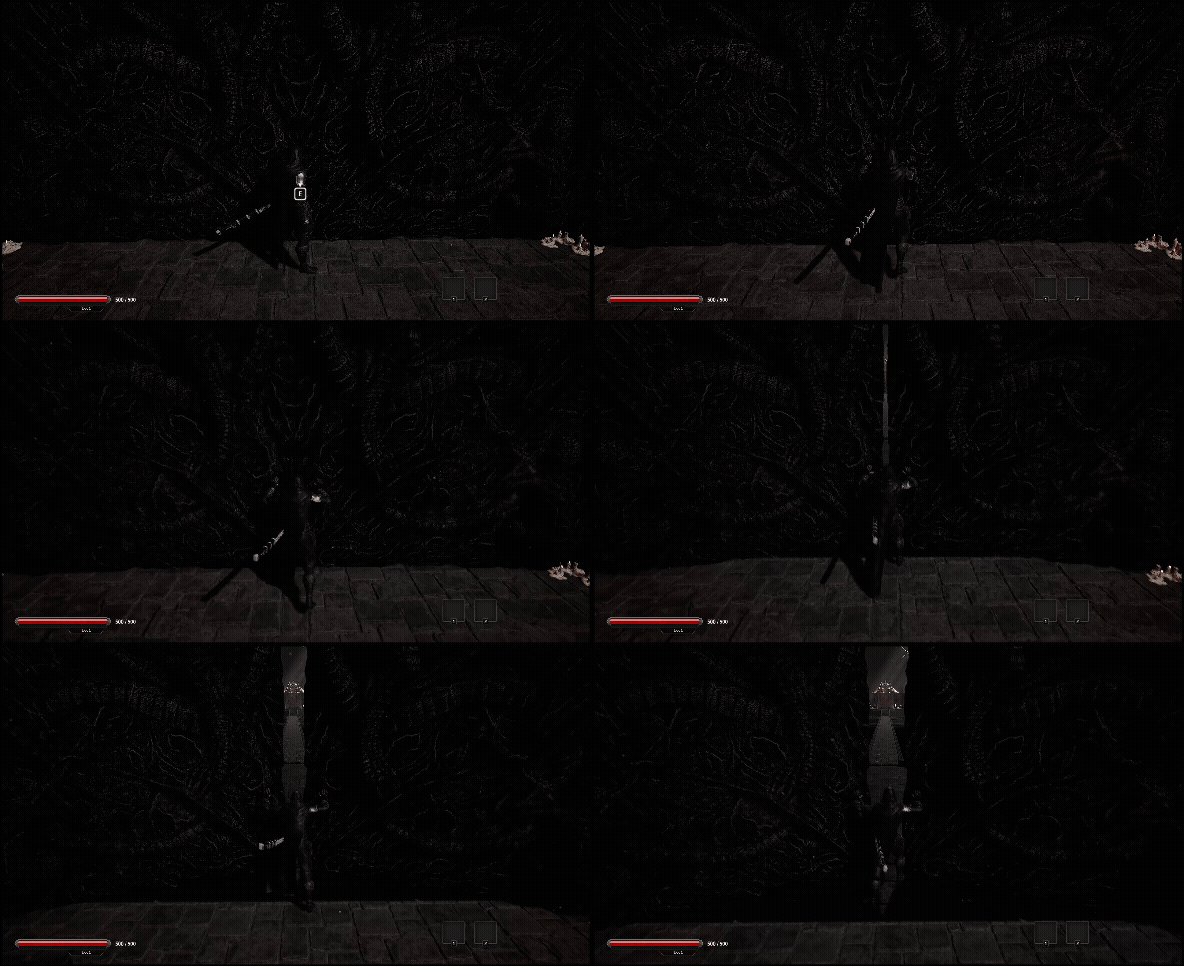
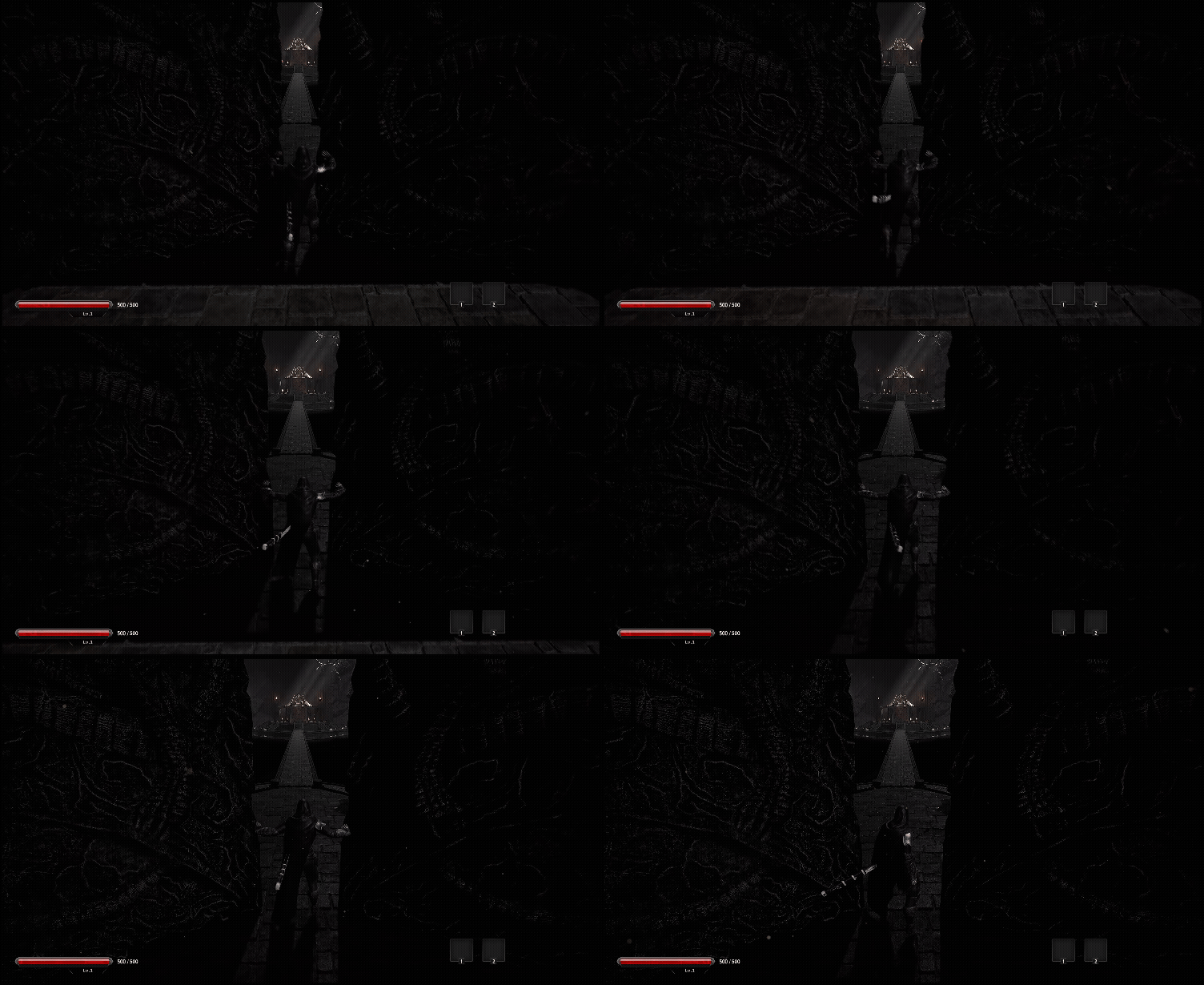
BigDoor은 플레이어가 앞으로 힘겹게 밀어서 여는 거대한 문 입니다
역시 모션워핑을 사용하여 위치를 맞춰주었고
카메라쉐이크를 사용하여 웅장한 느낌을 표현했습니다.
SigleDoor
간단한 힌지방식 문입니다

영상
'Unreal 프로젝트 다이어리 > 두번째 프로젝트' 카테고리의 다른 글
| Unreal - AI (Behavior Tree 설계하기) (0) | 2026.02.02 |
|---|---|
| Unreal - 달리 줌 (Dolly - Zoom) (0) | 2026.01.25 |
| Unreal - 트리거 매니저 ( 낙사 & 오토세이브 ) (1) | 2026.01.21 |
| Unreal - 죽음 / 리스폰 (0) | 2026.01.20 |
| Unreal - 적 공격 간파하기 (2) | 2026.01.16 |