이전글과 이어집니다
2025.11.02 - [Unreal5 프로젝트 다이어리2] - Unreal - 파쿠르 볼트(Vault)
Unreal - 파쿠르 볼트(Vault)
파쿠르의 볼트 제작입니다 2025.10.31 - [Unreal5 프로젝트 다이어리2] - Unreal - 파쿠르 잡고 올라가기 Unreal - 파쿠르 잡고 올라가기캐릭터의 팔이 닿을수 있는 거리면 난간을 잡고 올라가기 기능을 제
lucodev.tistory.com
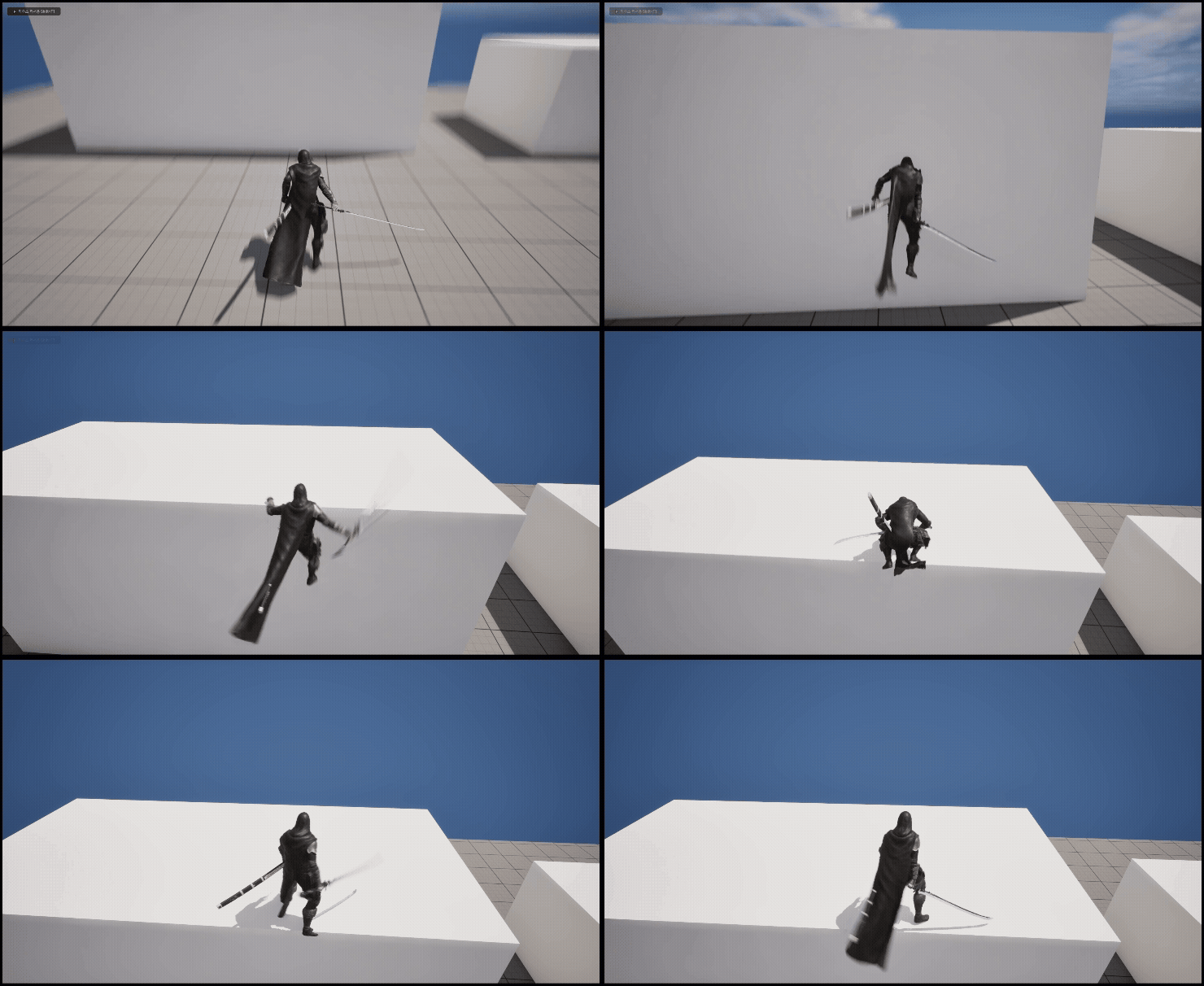
벽차기의 조건
1. 플레이어와의 거리가 일정거리 충족될때
2. 벽의 콜리전이 직접 설정한 Parkour 프리셋일경우
3. scv파일의 데이터값과 일치할경우
bool UCParkourComponent::CanParkour_WallJump()
{
	if (currentParkourState != EParkourState::None)
		return false;

	if (!ownerCharacter->GetCharacterMovement()->IsFalling())
		return false;

	const FParkourDataRow* row = GetParkourData("WallJump");
	if (!row)
		return false;

	if (obstacleHeight >= row->minHeight && obstacleHeight <= row->maxHeight &&
		obstacleWidth >= row->minWidth && obstacleWidth <= row->maxWidth &&
		obstracleDepth >= 5.f && obstracleDepth <= 5000.f &&
		distObstracleUp >= 30 && distObstracleUp <= 80)
		return true;

	return false;
}

void UCParkourComponent::DoParkour_WallJump()
{
	if (!hitObstracle || !ownerCharacter)
		return;

	currentParkourState = EParkourState::WallJump;

	const FParkourDataRow* row = GetParkourData("WallJump");
	if (!row)
		return;

	if (row->playMontage.Num() > 0)
	{
		int32 randIdx = FMath::RandRange(0, row->playMontage.Num() - 1);
		UAnimMontage* selectRandomMontage = row->playMontage[randIdx];
		if (selectRandomMontage)
			ownerCharacter->PlayAnimMontage(selectRandomMontage, row->playRatio);
	}

	FVector jumpVelocity = FVector(0.f, 0.f, wallJumpStrength);
	ownerCharacter->LaunchCharacter(jumpVelocity, true, true);
}

void UCParkourComponent::WallJumpExceptionHandling()
{
	if (currentParkourState == EParkourState::WallJump &&
		!ownerCharacter->GetCharacterMovement()->IsFalling())
	{
		currentParkourState = EParkourState::None;
		EndParkour();
	}
}
WallJumpExceptionHandling은 tickcomponent에서 실행하여주었습니다
구현방법은 간단합니다
이미 전 파쿠르컴포넌트를 통해 방해물을 인식하는 기능과 조건을 다 만들었으니
벽차기는 LaunchCharacter를 사용하여 구현하였습니다
결과
'Unreal 프로젝트 다이어리 > 두번째 프로젝트' 카테고리의 다른 글
| Unreal - 상호작용(승강기) (0) | 2025.11.12 |
|---|---|
| Unreal - 상호작용(Edge Traversal) (0) | 2025.11.09 |
| Unreal - 파쿠르 볼트(Vault) (0) | 2025.11.02 |
| Unreal - 파쿠르 잡고 올라가기 (0) | 2025.10.31 |
| Unreal - CSV 데이터 테이블 만들기 (0) | 2025.10.29 |