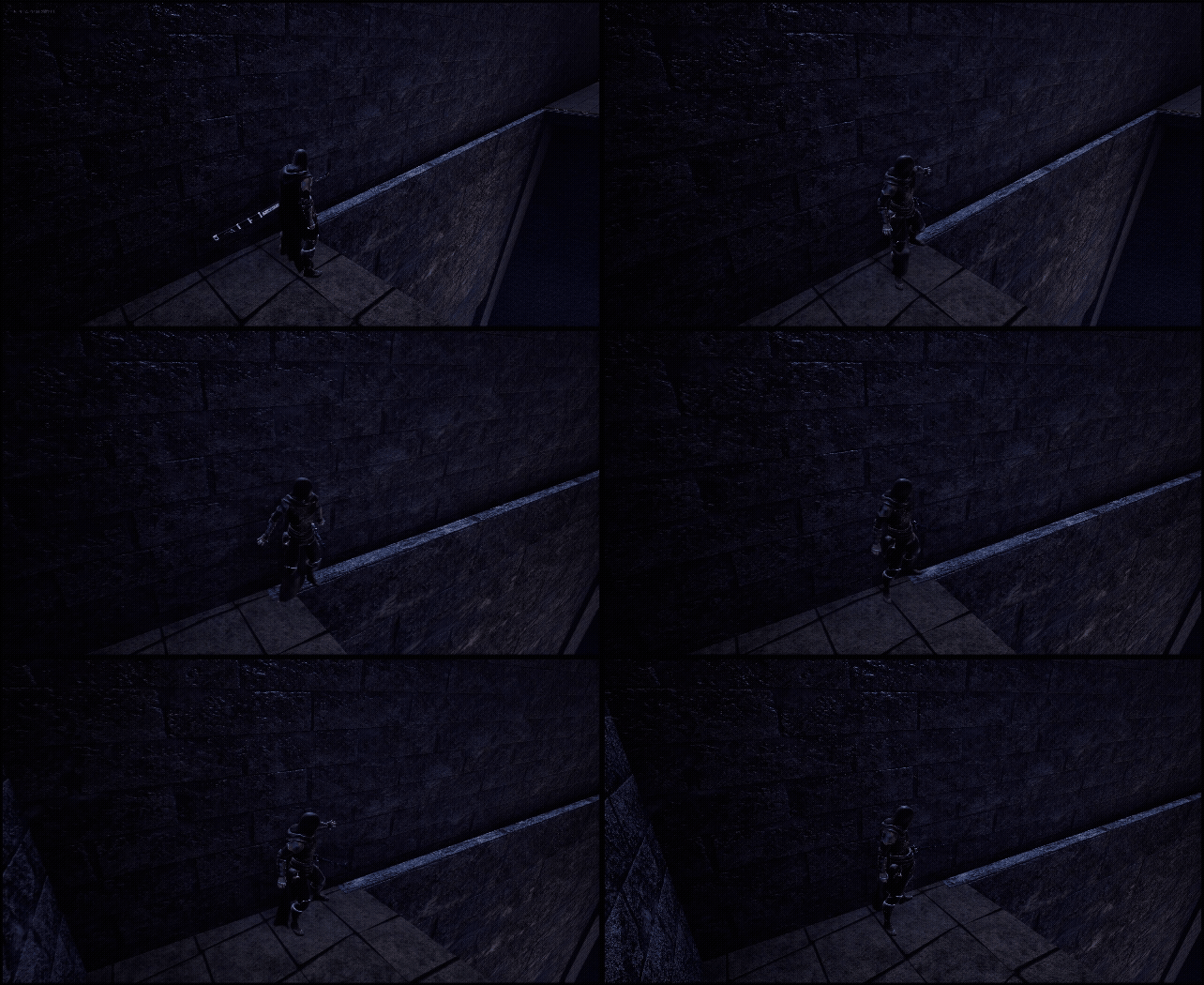
플레이어가 원래는 갈수없는 길을 벽을기대고 아슬아슬하게 넘어가는
Edge Traversal을 구현하였습니다
구현방식은 이와같습니다
1. 캐릭터한테 커스텀 컴포넌트인 InteractionComponent를 달아주기
2.. CollisionActor로 플레이어의 오버랩을 감지하여 타입별 액션 분기점 나누고 방향의 기준점 정하기
3. 인터렉션 전용 파쿠르 데이터를 담당하는 Struct인 InteractionData 만들기
4.인터렉션 컴포넌트에서 LeftIn LeftOut, Left In Right Out, Right In Right Out, Right In Left Out 사이클 설계하기
5. 길을 따라 설치될 스플라인 액터를 만들고 캐릭터를 해당 스플라인 액터 위치로 이동하게 만들기
6. 인터렉션 데이터를 기반으로 작동하며 모션워핑으로 위치 맞추기
먼저 인터렉션 감지를 담당하는 액터를 만들었습니다
어떤 타입의 상호작용이 일어나면 어떤 함수를 실행할지 저장해두는 맵을 선언
TMap<EInteractionType, FInteractionDelegate> interactionStartMap;
TMap<EInteractionType, FInteractionDelegate> interactionEndMap;
오버랩 설정을 해줍니다
만약 델리게이트에 바인딩 되어있다면 해당 맞는 함수를 실행한다 의미입니다
void AAInteractionCollision::OnOverlapBegin(UPrimitiveComponent* OverlappedComp, AActor* OtherActor, UPrimitiveComponent* OtherComp, int32 OtherBodyIndex, bool bFromSweep, const FHitResult& SweepResult)
{
	if (OtherActor == mainChar && OtherComp == capsuleComp)
	{
		if (FInteractionDelegate* interactionDelegate = interactionStartMap.Find(interactionType))
			interactionDelegate->ExecuteIfBound();

	}

}

void AAInteractionCollision::OnOverlapEnd(UPrimitiveComponent* OverlappedComp, AActor* OtherActor, UPrimitiveComponent* OtherComp, int32 OtherBodyIndex)
{
	if (OtherActor == mainChar && OtherComp == capsuleComp)
	{
		if (FInteractionDelegate* interactionDelegate = interactionEndMap.Find(interactionType))
			interactionDelegate->ExecuteIfBound();

	}
}
각 맵들을 함수에 바인딩해주었습니다
void AAInteractionCollision::InitializeStartInteractionMap()
{
	interactionStartMap.Add(EInteractionType::LedgeWalkRight, FInteractionDelegate::CreateUObject(this, &AAInteractionCollision::DoLedgeWalkRight));
	interactionStartMap.Add(EInteractionType::LedgeWalkLeft, FInteractionDelegate::CreateUObject(this, &AAInteractionCollision::DoLedgeWalkLeft));
	interactionStartMap.Add(EInteractionType::WallCling, FInteractionDelegate::CreateUObject(this, &AAInteractionCollision::DoWallCling));
	interactionStartMap.Add(EInteractionType::Ladder, FInteractionDelegate::CreateUObject(this, &AAInteractionCollision::DoLadder));
}

void AAInteractionCollision::InitializeEndInteractionMap()
{
	interactionEndMap.Add(EInteractionType::LedgeWalkRight, FInteractionDelegate::CreateUObject(this, &AAInteractionCollision::EndLedgeWalkRight));
	interactionEndMap.Add(EInteractionType::LedgeWalkLeft, FInteractionDelegate::CreateUObject(this, &AAInteractionCollision::EndLedgeWalkLeft));
	interactionEndMap.Add(EInteractionType::WallCling, FInteractionDelegate::CreateUObject(this, &AAInteractionCollision::EndWallCling));
	interactionEndMap.Add(EInteractionType::Ladder, FInteractionDelegate::CreateUObject(this, &AAInteractionCollision::EndLadder));
}
스플라인액터를 만들어주었습니다
public:
	AGripSplineActor();

private:
	UPROPERTY(EditAnywhere)
	USceneComponent* rootComp;

	UPROPERTY(EditAnywhere)
	USplineComponent* handSpline;


public:
	FORCEINLINE USplineComponent* GetHandSpline() const
	{ return handSpline; }
////////////////////////////////////////////////
#include "GripSplineActor.h"
#include "Components/SplineComponent.h"

AGripSplineActor::AGripSplineActor()
{
	PrimaryActorTick.bCanEverTick = true;

	handSpline = CreateDefaultSubobject<USplineComponent>(TEXT("HandSpline"));
	RootComponent = handSpline;
	handSpline->SetMobility(EComponentMobility::Movable);

	handSpline->bDrawDebug = true;
}
스플라인을 찾습니다 찾아서 해당 담당스플라인을 변수에 저장해줍니다
AGripSplineActor* UUInteractionComponent::findInteractionSpline(float& outDistance) const
{
	outDistance = FLT_MAX;
	TArray<AGripSplineActor*> foundSplines;

	for (TActorIterator<AGripSplineActor> it(GetWorld()); it; ++it)
		foundSplines.Add(*it);

	if (foundSplines.Num() == 0)
		return nullptr;

	foundSplines.Sort([this](const AGripSplineActor& a, const AGripSplineActor& b)
		{
			const float distA = FVector::Dist(a.GetActorLocation(), ownerCharacter->GetActorLocation());
			const float distB = FVector::Dist(b.GetActorLocation(), ownerCharacter->GetActorLocation());
			return distA < distB;
		});

	AGripSplineActor* workSpline = foundSplines[0];
	outDistance = FVector::Dist(workSpline->GetActorLocation(), ownerCharacter->GetActorLocation());
	return workSpline;
}
스플라인의 가장 가까운 포인트를 저장해줍니다
void UUInteractionComponent::AttachHandToSpline(AGripSplineActor* targetSpline)
{
	if (!targetSpline || !ownerCharacter || !currentCollision)
		return;

	currentTargetSpline = targetSpline;
	// InteractionVector 기준으로 캐릭터 회전
	FVector targetForward = currentCollision->GetInteractionVector();
	targetForward.Z = 0.f;
	targetForward.Normalize();
	ownerCharacter->SetActorRotation(targetForward.Rotation());

	////////////////////////////////////////////////////////
	USplineComponent* spline = targetSpline->GetHandSpline();
	if (!spline)
		return;
	FVector closestPoint = spline->FindLocationClosestToWorldLocation(mainChar->GetActorLocation(), ESplineCoordinateSpace::World);
	closestPoint.Z = ownerCharacter->GetActorLocation().Z;
	gripImpactPoint = closestPoint;


}
콜리전 프리셋 InteractionWall을 만들고 해당 콜리전 프리셋이 InteractionWall인 액터에 대해 배열로 추가하여
InteractionWall 콜리전 프리셋을 가진 벽 컴포넌트를 찾고 제어하였습니다
void UUInteractionComponent::FindInteractionWall()
{
	interactionWalls.Empty();

	for (TActorIterator<AActor> it(GetWorld()); it; ++it)
	{
		AActor* actor = *it;
		if (!actor) continue;

		TArray<UPrimitiveComponent*> primComps;
		actor->GetComponents<UPrimitiveComponent>(primComps);

		for (UPrimitiveComponent* prim : primComps)
		{
			if (!prim)
				continue;

			if (prim->GetCollisionProfileName() == FName("InteractionWall"))
				interactionWalls.Add(actor);

		}
	}
}
벽에서 움직일때 캐릭터가 앞만 보면서 움직임을 하도록 기본 무브먼트를 제어해주었습니다
void UUInteractionComponent::InteractionRotSet(bool set)
{
	mainChar->GetCharacterMovement()->bOrientRotationToMovement = set;
	mainChar->GetCharacterMovement()->bUseControllerDesiredRotation = set;
}
캐릭터를 해당 스플라인의 가장 가까운점으로 값을 구했으니 그위치로 캐릭터를 이동시켜주었습니다
void UUInteractionComponent::UpdateSplineMovement(float deltaTime)
{

	if (!mainChar || !currentTargetSpline)
		return;

	USplineComponent* spline = currentTargetSpline->GetHandSpline();
	if (!spline)
		return;

	FVector closestPoint = spline->FindLocationClosestToWorldLocation(mainChar->GetActorLocation(), ESplineCoordinateSpace::World);
	closestPoint.Z = mainChar->GetActorLocation().Z;

	mainChar->SetActorLocation(closestPoint);


	if (currentInteractionState == EInteractionState::LedgeWalkLeft ||
		currentInteractionState == EInteractionState::LedgeWalkRight)
	{
		if (mainController->bMoveForward)
			mainChar->direction = 180.f;
		else if (mainController->bMoveBack)
			mainChar->direction = -180.f;
		else if (mainController->bMoveRight)
			mainChar->direction = 180.f;
		else if (mainController->bMoveLeft)
			mainChar->direction = -180.f;
	}
}
left in left out, left in right out, right in right out, right in left out 같은 사이클을 만들어주었습니다
EInteractionCycleState UUInteractionComponent::EValuateLedgeWalkResult(EInteractionState currentLedgeDirection)
{

	int currentType = 0;
	if (currentLedgeDirection == EInteractionState::LedgeWalkLeft)
		currentType = -1;
	else if (currentLedgeDirection == EInteractionState::LedgeWalkRight)
		currentType = 1;

	EInteractionCycleState result = EInteractionCycleState::Start;

	if (lastType == 0)
	{
		//신사이클
		lastType = currentType;
		result = EInteractionCycleState::Start;
	}
	else
	{
		if (lastType == currentType)
			result = EInteractionCycleState::Cancle; // Cancel
		else
			result = EInteractionCycleState::End;   // Finish

		if (result != EInteractionCycleState::Start)
			lastType = 0;
	}

	return result;
}
노티파이에서 호출할 상태를 리셋할 함수를 만들어주었습니다
void UUInteractionComponent::SetInteractionState(bool bActive, const EInteractionState& setState)
{
	if (!mainChar)
		return;
	SetCollisionIgnoreWall(bActive);

	const float ledgeWalkSpeed = 150.f;
	const float wallClingSpeed = 100.f;
	const float ladderSpeed = 160.f;

	const float changeWalkSpeed =
		(setState == EInteractionState::LedgeWalkLeft || setState == EInteractionState::LedgeWalkRight) ? ledgeWalkSpeed :
		(setState == EInteractionState::WallCling) ? wallClingSpeed :
		(setState == EInteractionState::Ladder) ? ladderSpeed :
		defaultWalkkSpeed;
	const float setWalkSpeed = bActive ? changeWalkSpeed : defaultWalkkSpeed;

	mainChar->walkSpeed = setWalkSpeed;
	mainChar->GetCharacterMovement()->MaxWalkSpeed = setWalkSpeed;

	mainChar->LockAction("Run", false);
	mainChar->LockAction("Jump", false);

	if (!bActive)
		currentInteractionState = EInteractionState::None;

}
결과물

'Unreal 프로젝트 다이어리 > 두번째 프로젝트' 카테고리의 다른 글
| Unreal - 상호작용(사다리 타기) (0) | 2025.11.15 |
|---|---|
| Unreal - 상호작용(승강기) (0) | 2025.11.12 |
| Unreal - 파쿠르 벽차기 (0) | 2025.11.03 |
| Unreal - 파쿠르 볼트(Vault) (0) | 2025.11.02 |
| Unreal - 파쿠르 잡고 올라가기 (0) | 2025.10.31 |