위젯을 만들어줍니다
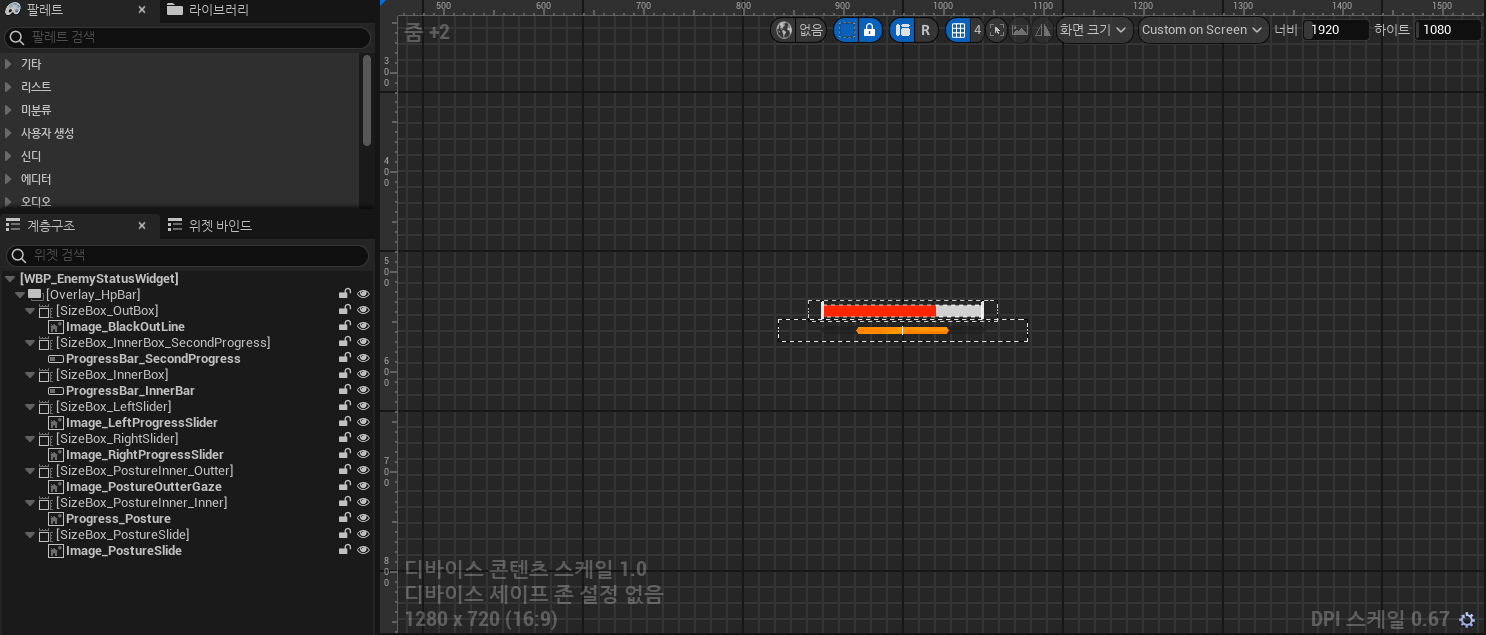

위젯을 만들어주었습니다 델리게이트를 사용하여 첫번째 빨간색 프로그래스바가 hp에 따라 변동하며
시간이 지나면 흰색 프로그래스바가 빨간 프로그래스바를 따라오도록 설계했습니다
void UEnemyStatusWidget::UpdateMainHPBar(float currentHp, float maxHp)
{
	if (ProgressBar_InnerBar)
	{
		float barPercent = currentHp / maxHp;
		barPercent = FMath::Clamp(barPercent, 0.f, 1.f);
		ProgressBar_InnerBar->SetPercent(barPercent);

		targetHpPercent = barPercent;

		if (GetWorld()->GetTimerManager().IsTimerActive(th_subHPTimerHandle))
		{
			GetWorld()->GetTimerManager().ClearTimer(th_subHPTimerHandle);
		}

		FTimerDelegate timerDel;
		timerDel.BindUFunction(this, FName("UpdateSecondHPBarStep"));
		GetWorld()->GetTimerManager().SetTimer(th_subHPTimerHandle, timerDel, 0.5f, false);
	}
}

void UEnemyStatusWidget::UpdateSecondHPBar(float currentHp, float maxHp)
{
	if (ProgressBar_SecondProgress)
	{
		float barPercent = FMath::Clamp(currentHp / maxHp, 0.f, 1.f);
		ProgressBar_SecondProgress->SetPercent(barPercent);
	}
}
위젯 컴포넌트 형식으로 Enemy에게 컴포넌트를 부착후 위젯을 달아줍니다
UPROPERTY(EditAnywhere, BlueprintReadWrite, Category = "Widget")
class UWidgetComponent* enemyWidget;
enemyWidget = CreateDefaultSubobject<UWidgetComponent>(TEXT("EnemyWidget"));
enemyWidget->SetupAttachment(RootComponent);
enemyWidget->SetRelativeLocation(FVector(0.f, 0.f, 139.04f));
enemyWidget->SetWidgetSpace(EWidgetSpace::Screen);
enemyWidget->SetDrawSize(FVector2D(100.f, 100.f));
enemyWidget->SetDrawAtDesiredSize(true);
BeginPlay에서 실행될 위젯을 0 부터 1 까지 존재하는 프로그래스바와 동일하게 동기화해줄 함수를 만들어줍니다
void AEnemyBaseCharacter::InitializeStatusBarSet()
{
	currentHp = maxHp;
	if (enemyWidget)
	{
		UEnemyStatusWidget* statusWidget = Cast<UEnemyStatusWidget>(enemyWidget->GetUserWidgetObject());
		if (statusWidget)
		{
			statusWidget->UpdateMainHPBar(currentHp, maxHp);
		}
	}
}
hitinterface로 데미지를 입을때 hp바를 업데이트 시켜줍니다
void AEnemyBaseCharacter::ReceiveHit(const FGameHitSystemData& damageData, AActor* attacker)
{
	currentHp -= damageData.damageAmount;
	currentHp = FMath::Clamp(currentHp, 0.f, maxHp);

	if (enemyWidget)
	{
		UEnemyStatusWidget* statusWidget = Cast<UEnemyStatusWidget>(enemyWidget->GetUserWidgetObject());
		if (statusWidget)
		{
			statusWidget->UpdateMainHPBar(currentHp, maxHp);
		}
    }
}
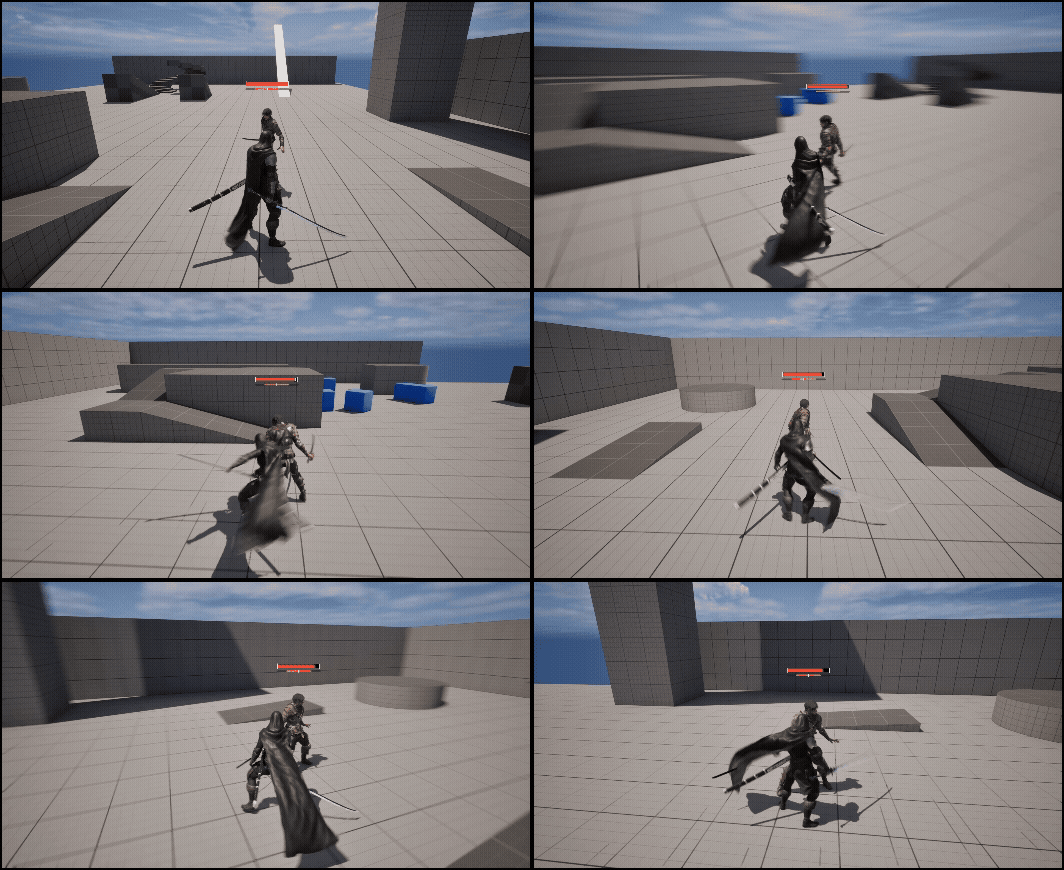
추가로 맞는 방향에 따라 다른 애니메이션을 출력하는기능도 추가해주었습니다
맞는 방향을 구해줍니다
void AEnemyBaseCharacter::CheckBeAttackedDirction(AActor* attackerWeapon)
{
	if (!attackerWeapon) return;
	FVector toAttackVec = attackerWeapon->GetActorLocation() - GetActorLocation();
	toAttackVec.Z = 0.f;

	if (toAttackVec.IsNearlyZero())
	{
		hitDirection = 0.f;
		return;
	}

	FVector forwardVec = GetActorForwardVector();
	forwardVec.Normalize();
	toAttackVec.Normalize();

	float attackedAngle = FMath::RadiansToDegrees(FMath::Acos(FVector::DotProduct(forwardVec, toAttackVec)));

	FVector cross = FVector::CrossProduct(forwardVec, toAttackVec);
	if (cross.Z < 0)
	{
		attackedAngle *= -1.f;
	}
	//(-180 ~ 180)
	hitDirection = attackedAngle;

}
때리는 대상 (무기) 에서 히트인터페이스에 값을 넘겨줄 함수를 만들어줍니다
void ABasicSword::HandlingHitActor(AActor* hitActor)
{
	AMainCharacter* ownerChar = Cast<AMainCharacter>(GetOwner());
	if (!ownerChar)
	{
		ownerChar = Cast<AMainCharacter>(GetAttachParentActor());
	}
	if (!ownerChar) return;

	float hitDir = 0.f;
	if (AEnemyBaseCharacter* enemy = Cast<AEnemyBaseCharacter>(hitActor))
	{
		enemy->CheckBeAttackedDirction(this);
		hitDir = enemy->hitDirection;
	}

	// 데이터 세팅
	FGameHitSystemData data;
	data.damageAmount = ownerChar->saveCurrentAttackDamage;
	data.hitDirection = hitDir;

	// 공격 적용
	if (IHitInterface* hitInterface = Cast<IHitInterface>(hitActor))
	{
		hitInterface->ReceiveHit(data, ownerChar);
	}

}
무기에서 적을 때릴때 값을 넘겨줍니다
if (hitActors->GetClass()->ImplementsInterface(UHitInterface::StaticClass()))
{
				HandlingHitActor(hitActors);
}
데이터테이블 구조체에 각각 맞는 4방향 hit정보값을 넣어줍니다

HitInterface에 override하여 데미지를 받을때 Receive함수에 맞는 방향을 체크해주는 함수를 추가해줍니다
void AEnemyBaseCharacter::DamagedMontageSelector()
{
	if (!animDataTable) return;

	TArray<FEnemyAnimationDataTable*> allRows;
	animDataTable->GetAllRows<FEnemyAnimationDataTable>(TEXT("DamagedMontageSelector"), allRows);
	if (allRows.Num() == 0) return;

	FString targetAnimName;

	if (hitDirection >= -45.f && hitDirection <= 45.f)
	{
		targetAnimName = "HitFront";
	}
	else if (hitDirection > 45.f && hitDirection <= 135.f)
	{
		targetAnimName = "HitRight";
	}
	else if (hitDirection < -45.f && hitDirection >= -135.f)
	{
		targetAnimName = "HitLeft";
	}
	else
	{
		targetAnimName = "HitBack";
	}

	for (FEnemyAnimationDataTable* row : allRows)
	{
		if (row->animType != "Damaged") continue;
		if (row->animName != targetAnimName) continue;
		if (row->animMontage)
		{
			PlayAnimMontage(row->animMontage, row->playRate);
			break;
		}
	}
}
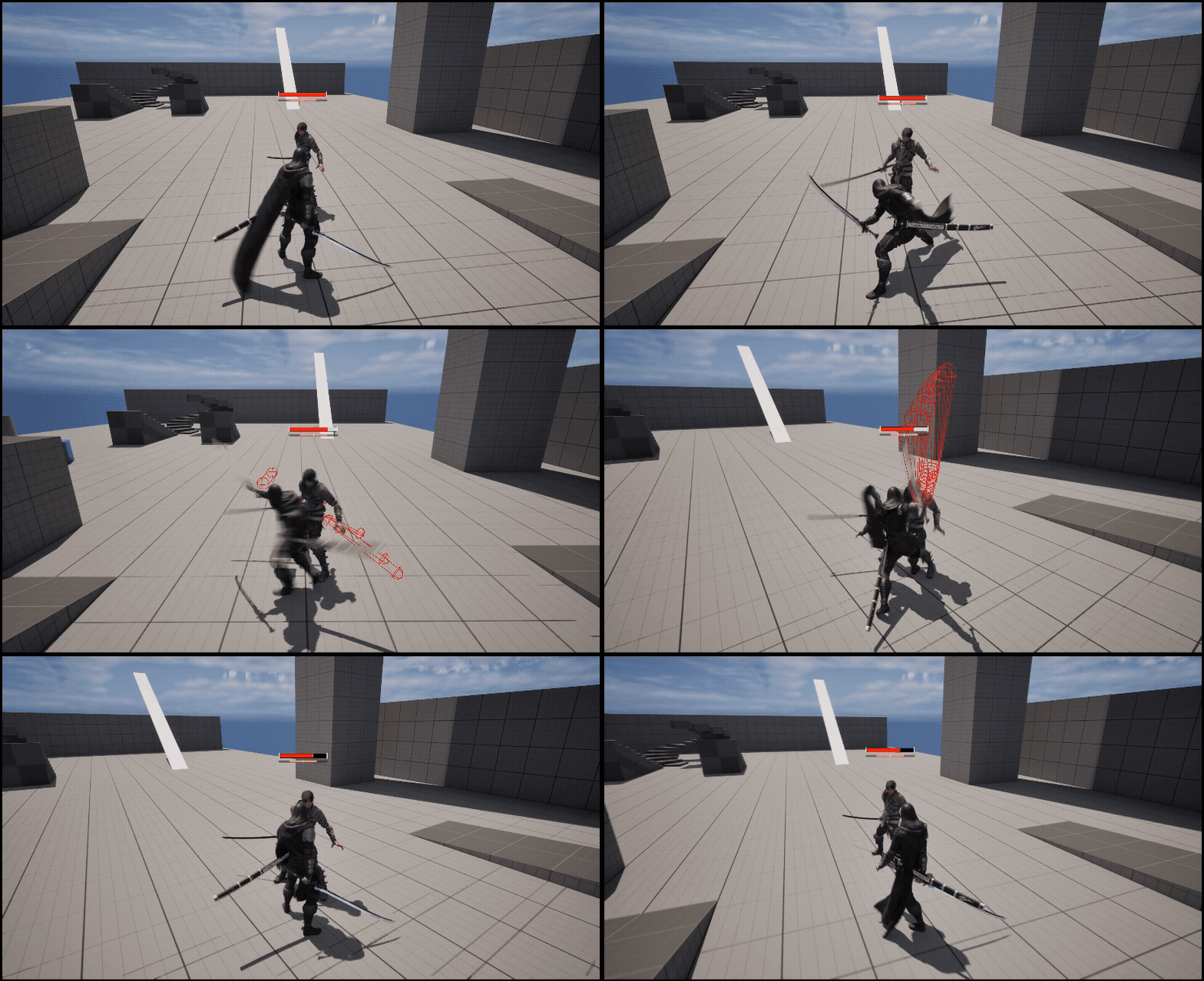
결과물
Dynamic Progressbar
HitDirection
'Unreal 프로젝트 다이어리 > 두번째 프로젝트' 카테고리의 다른 글
| Unreal - 적 타게팅 (0) | 2025.10.29 |
|---|---|
| Unreal - 캐릭터 회전 (0) | 2025.10.19 |
| Unreal - HitInterface 상호작용 (0) | 2025.08.23 |
| Unreal - Hash 기반 AI/Enemy 데이터 설계하기 (0) | 2025.08.23 |
| Unreal - 콤보 공격 (0) | 2025.08.22 |