3인칭 백뷰 시점의 캐릭터를 만들어주었습니다
필요한 헤더 선언
UPROPERTY(EditAnywhere, Category="Camera")
class USpringArmComponent* cameraBoom;

UPROPERTY(EditAnywhere, Category = "Camera")
class UCameraComponent* mainCamera;
AMainCharacter::AMainCharacter()
{
	PrimaryActorTick.bCanEverTick = true;
	SetRootComponent(GetCapsuleComponent());
	GetMesh()->SetRelativeLocation(FVector(0.f, 0.f, -90.f));
	GetMesh()->SetRelativeRotation(FRotator(0.f, -90.f, 0.f));
	//Character Settings
	ConstructorHelpers::FObjectFinder<USkeletalMesh> mainCharAsset
	(TEXT("/Game/MainCharacter/SKM_MainCharacter.SKM_MainCharacter"));
	if (mainCharAsset.Succeeded())
	{
		GetMesh()->SetSkeletalMesh(mainCharAsset.Object);
	}

	cameraBoom = CreateDefaultSubobject<USpringArmComponent>(TEXT("MainCameraBoom"));
	cameraBoom->SetupAttachment(RootComponent);

	//view settings (BackView, thirdPerson)
	cameraBoom->TargetArmLength = 400.f;
	cameraBoom->SetRelativeRotation(FRotator(0.f));
	cameraBoom->bEnableCameraLag = true;
	cameraBoom->CameraLagSpeed = 15.f;

	//camera hit handling
	cameraBoom->bDoCollisionTest = true;

	mainCamera = CreateDefaultSubobject<UCameraComponent>(TEXT("MainCamera"));
	mainCamera->SetupAttachment(cameraBoom);
	mainCamera->SetRelativeLocation(FVector(33.f, 0.f, 180.f));
	mainCamera->SetRelativeRotation(FRotator(-17.5f, 0.f, 0.f));
	mainCamera->bUsePawnControlRotation = false;

	//camera mouse handling
	bUseControllerRotationYaw = true;
	bUseControllerRotationPitch = false;
	bUseControllerRotationRoll = false;

	GetCharacterMovement()->bOrientRotationToMovement = false;

}
Movement코드를 짜주겠습니다
로직
W: 앞
A : 왼쪽
S : 뒤
D : 오른쪽
프로젝트 세팅에서 액션매핑을 설정후 코드를 작성해주었습니다
UCLASS()
class PORTFOLIOMS_API AMainCharacterController : public APlayerController
{
	GENERATED_BODY()

public:
	AMainCharacterController();

	virtual void OnPossess(APawn* mainCharacter) override;
	virtual void SetupInputComponent() override;
	virtual void Tick(float deltaTime) override;

	//Movement
	bool bMoveForward;
	bool bMoveBack;
	bool bMoveLeft;
	bool bMoveRight;

	void InputKeyboardWPressed() { bMoveForward = true; }
	void InputKeyboardWReleased() { bMoveForward = false; }
	void InputKeyboardAPressed() { bMoveLeft = true; }
	void InputKeyboardAReleased() { bMoveLeft = false; }
	void InputKeyboardSPressed() { bMoveBack = true; }
	void InputKeyboardSReleased() { bMoveBack = false; }
	void InputKeyboardDPressed() { bMoveRight = true; }
	void InputKeyboardDReleased() { bMoveRight = false; }

	UFUNCTION()
	void CharacterMovement(float deltaSeconds);
};
void AMainCharacterController::SetupInputComponent()
{
	Super::SetupInputComponent();

	InputComponent->BindAction("KeyboardW", IE_Pressed, this, &AMainCharacterController::InputKeyboardWPressed);
	InputComponent->BindAction("KeyboardW", IE_Released, this, &AMainCharacterController::InputKeyboardWReleased);
	InputComponent->BindAction("KeyboardA", IE_Pressed, this, &AMainCharacterController::InputKeyboardAPressed);
	InputComponent->BindAction("KeyboardA", IE_Released, this, &AMainCharacterController::InputKeyboardAReleased);
	InputComponent->BindAction("KeyboardS", IE_Pressed, this, &AMainCharacterController::InputKeyboardSPressed);
	InputComponent->BindAction("KeyboardS", IE_Released, this, &AMainCharacterController::InputKeyboardSReleased);
	InputComponent->BindAction("KeyboardD", IE_Pressed, this, &AMainCharacterController::InputKeyboardDPressed);
	InputComponent->BindAction("KeyboardD", IE_Released, this, &AMainCharacterController::InputKeyboardDReleased);
}
void AMainCharacterController::CharacterMovement(float deltaSeconds)
{
	APawn* myPawn = GetPawn();
	if (!myPawn) return;

	FRotator controlRot = GetControlRotation();
	controlRot.Pitch = 0.f;
	controlRot.Roll = 0.f;

	FVector forwardDir = FRotationMatrix(controlRot).GetUnitAxis(EAxis::X);
	FVector rightDir = FRotationMatrix(controlRot).GetUnitAxis(EAxis::Y);

	FVector direction = FVector::ZeroVector;
	if (bMoveForward)
	{
		direction += forwardDir;
	}
	if (bMoveBack)
	{
		direction -= forwardDir;
	}
	if (bMoveRight)
	{
		direction += rightDir;
	}
	if (bMoveLeft)
	{
		direction -= rightDir;
	}
	if (!direction.IsNearlyZero())
	{
		direction.Normalize();
		myPawn->AddMovementInput(direction, 1.f);
	}
}
키보드 입력으로 간단하게 움직일수 있게 되었습니다
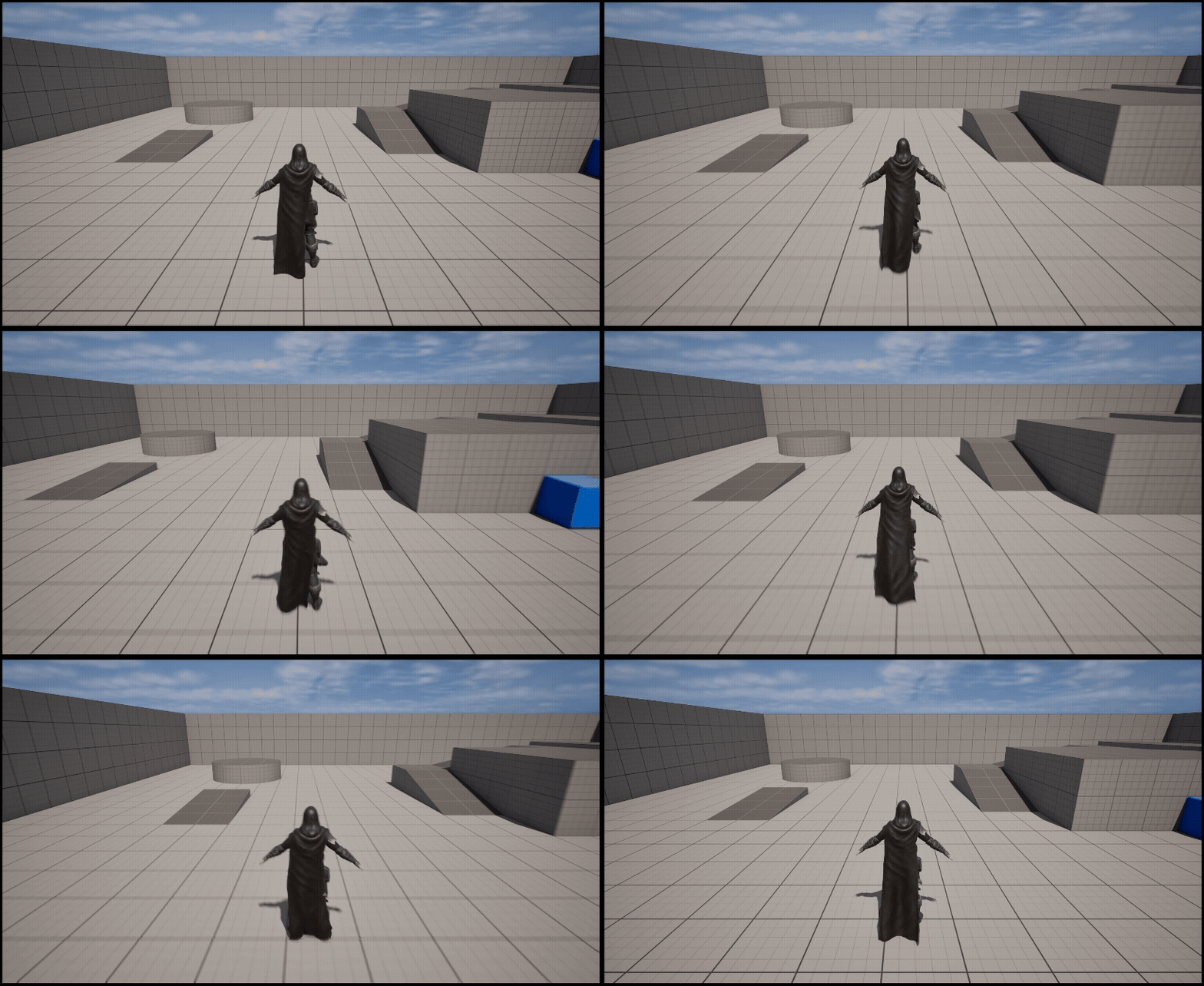
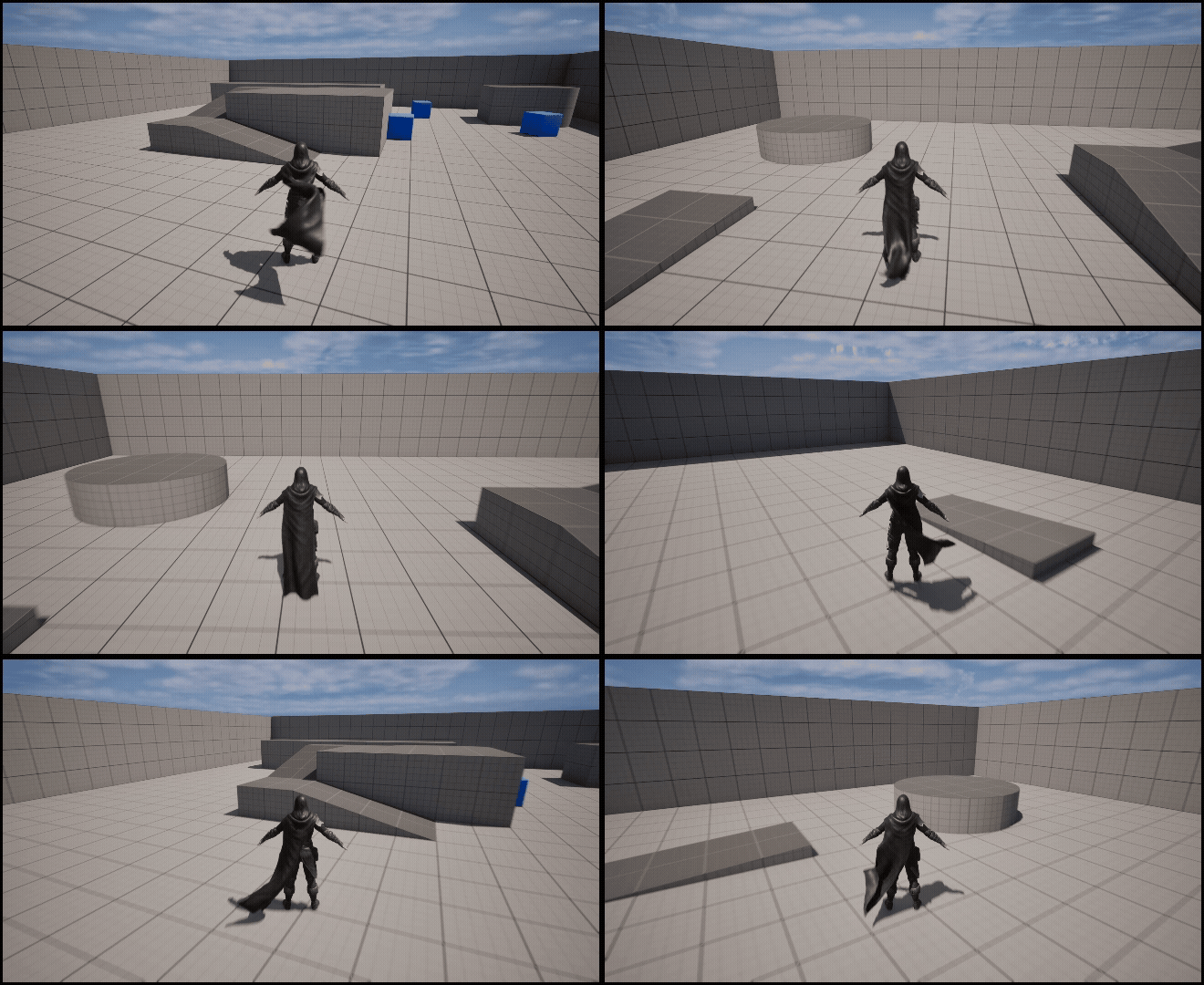
좌우로 마우스를 회전시 카메라를 시점을 변동시켜주겠습니다
인풋에 축매핑에 별도로 MouseX를 설정후 마우스x값 스케일 1.0으로 설정해준뒤 진행합니다
//mouse Axis
UFUNCTION()
void TurnCamera(float axisValue);

UPROPERTY(EditAnywhere, Category="Mouse")
float mouseSensitivity = 0.5;
InputComponent->BindAxis("MouseX", this, &AMainCharacterController::TurnCamera);void AMainCharacterController::TurnCamera(float axisValue)
{
AddYawInput(axisValue * mouseSensitivity);
}
자유롭게 시점이 좌우 회전이 가능해졌습니다
'Unreal 프로젝트 다이어리 > 두번째 프로젝트' 카테고리의 다른 글
| Unreal - 무기 Draw (0) | 2025.08.19 |
|---|---|
| Unreal - Layered Per Bone (상 하체 애니메이션 분리) (0) | 2025.08.17 |
| Unreal - Foot IK (0) | 2025.08.17 |
| Unreal - 모션매칭(Motion Matching) - 스키마 데이터 관리하기 (점프,달리기) (0) | 2025.08.15 |
| Unreal - 모션매칭(Motion Matching) - 기본이동 구현하기 (0) | 2025.08.09 |