이전 글에서 이어집니다
2025.11.25 - [Unreal 프로젝트 다이어리/두번째 프로젝트] - Unreal - 인벤토리 (드래그 앤 드롭)
Unreal - 인벤토리 (드래그 앤 드롭)
이전 글에서 이어집니다2025.11.23 - [Unreal 프로젝트 다이어리/두번째 프로젝트] - Unreal - 인벤토리 ( 아이템 추가하기 ) Unreal - 인벤토리 ( 아이템 추가하기 )이전글에서 이어집니다2025.11.22 - [Unreal
lucodev.tistory.com
구현한 내용
- 아이템 정렬 (아이템 번호순)
- 아이템 삭제
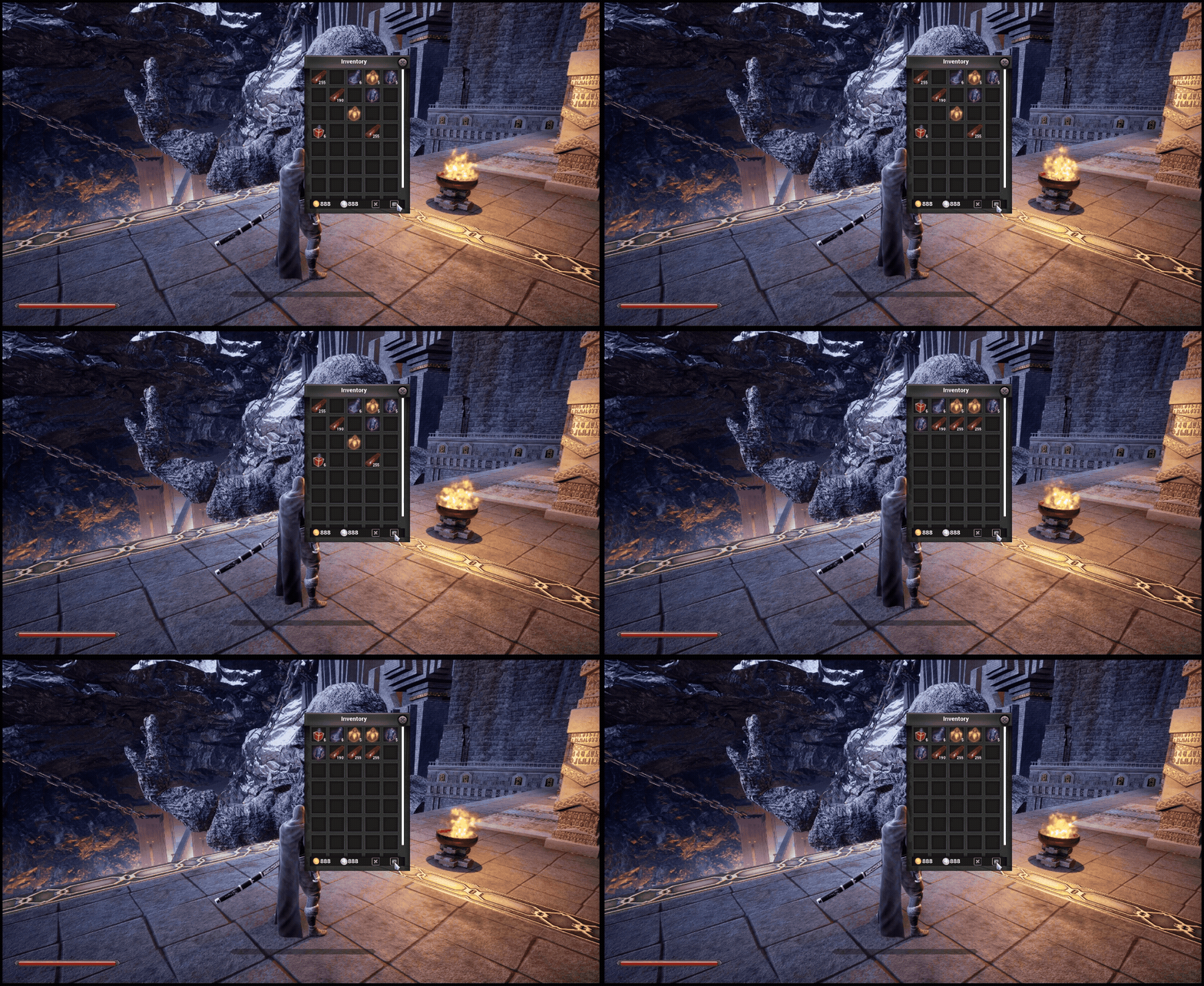
아이템 정렬
아이템 정렬입니다
원래 compare a , b 해야하는데 람다식을 사용하여 줄이고
빈슬롯을 뒤로 보낸뒤 앞에서부터 아이템 ID가 낮은 순서대로 정렬하도록 하였습니다
void UInventoryComponent::SortItemID()
{
	//빈 슬롯을 뒤로 보내고 실제 아이템만 오름차순 정렬
	//Alpha가 빈 슬롯이면 뒤로 Beta가 빈 슬롯이면 Alpha가 앞으로
	items.Sort([](const FItemSlot& alphaSlot, const FItemSlot& betaSlot)
		{
			//빈슬롯 뒤로 보내기
			if (alphaSlot.isEmpty())
				return false;
			if (betaSlot.isEmpty())
				return true;
			return alphaSlot.itemID < betaSlot.itemID; //(오름차순)
		});

	for (int32 i = 0; i < items.Num(); i++)
	{
		onInventoryUpdated.Broadcast(i, items[i]);
	}
}
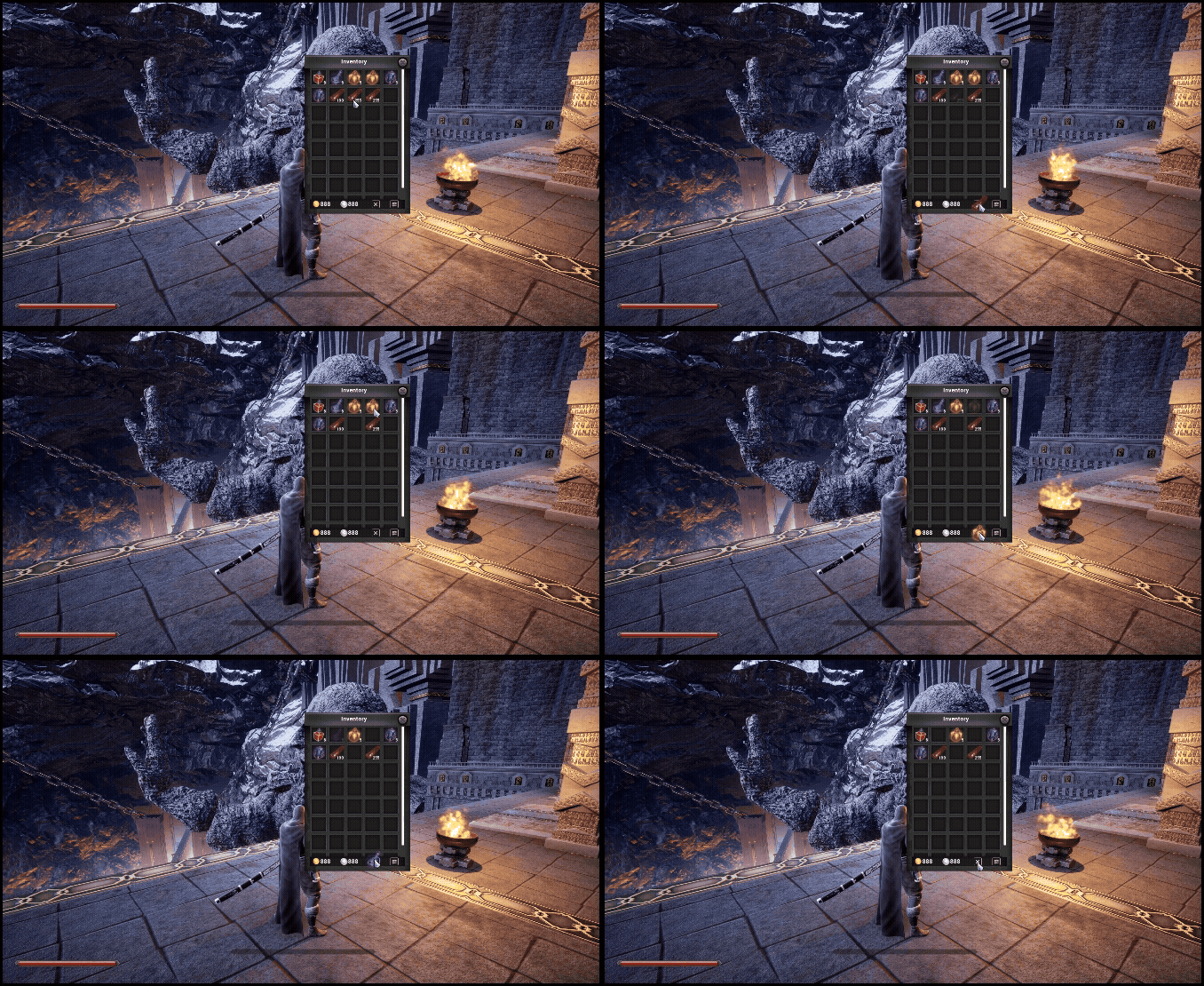
아이템 삭제
삭제의 기능은 역시 두뇌인 InventoryComponent 내에서 구현해두었습니다
bool UInventoryComponent::RemoveItem(int32 slotIndex, int32 count)
{
	if (!items.IsValidIndex(slotIndex))
		return false;

	FItemSlot& slot = items[slotIndex];

	if (slot.isEmpty())
		return false;

	slot.inCount -= count;

	if (slot.inCount <= 0)
	{
		slot.Clear();
	}
	onInventoryUpdated.Broadcast(slotIndex, slot);
	return true;

}
인벤토리 위젯에서 드랍 이벤트를 발생시키기위해 해당 함수를 오버라이드하였습니다
virtual bool NativeOnDrop(const FGeometry& InGeometry, const FDragDropEvent& inDragDropEvent, UDragDropOperation* inOperation) override;
DeleteButton위에 드롭이벤트가 발생한다면 RemoveItem함수를 호출하여 전부 Clear 하도록 하였습니다
bool UInventoryWidget::NativeOnDrop(const FGeometry& InGeometry, const FDragDropEvent& inDragDropEvent, UDragDropOperation* inOperation)
{
	if (!Button_DeleteItem || !inventoryComp)
		return false;

	UInventoryDragDropOper* dragOper = Cast<UInventoryDragDropOper>(inOperation);
	if (!dragOper)
		return false;

	FVector2D mousePos = inDragDropEvent.GetScreenSpacePosition();
	if (Button_DeleteItem->GetCachedGeometry().IsUnderLocation(mousePos))
	{
		int32 slotIdx = dragOper->startSlotIdx;
		FItemSlot slot = inventoryComp->GetItemSlot(slotIdx);
		if (!slot.isEmpty())
			inventoryComp->RemoveItem(slotIdx, slot.inCount);
		return true;
	}
	return false;

}
결과
정렬
삭제
'Unreal 프로젝트 다이어리 > 두번째 프로젝트' 카테고리의 다른 글
| Unreal - 인벤토리(5-2) (UI 디테일 추가) (0) | 2025.11.29 |
|---|---|
| Unreal - 인벤토리(5) ( 아이템 정보 ) (0) | 2025.11.28 |
| Unreal - 인벤토리(3) (드래그 앤 드롭) (0) | 2025.11.25 |
| Unreal - 인벤토리(2) ( 아이템 추가하기 ) (0) | 2025.11.23 |
| Unreal - 인벤토리(1) ( 크기변경하기, 창옮기기 ) (2) | 2025.11.22 |