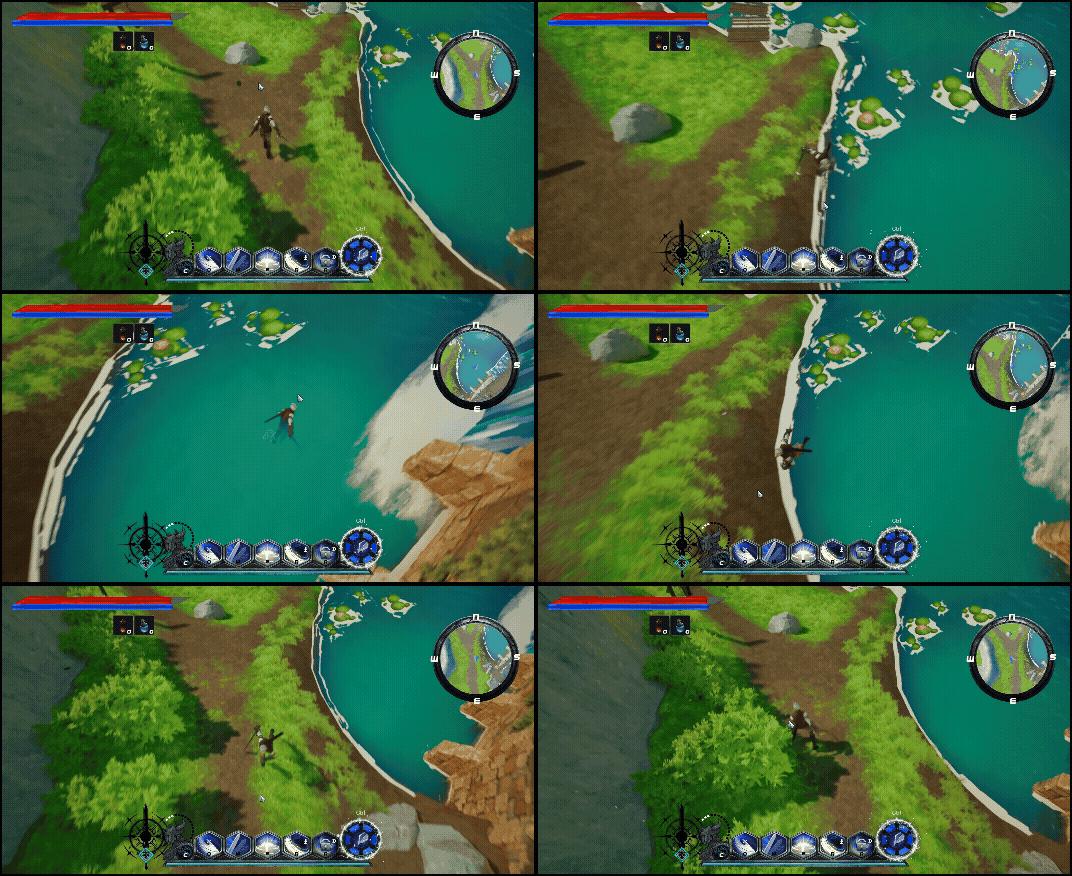
맵을 디자인할때 많이 쓰이는 방법입니다
랜드스케이프 모드 -> 페인트에서 레이어를 추가후 원하는 메테리얼 레이어를 설정
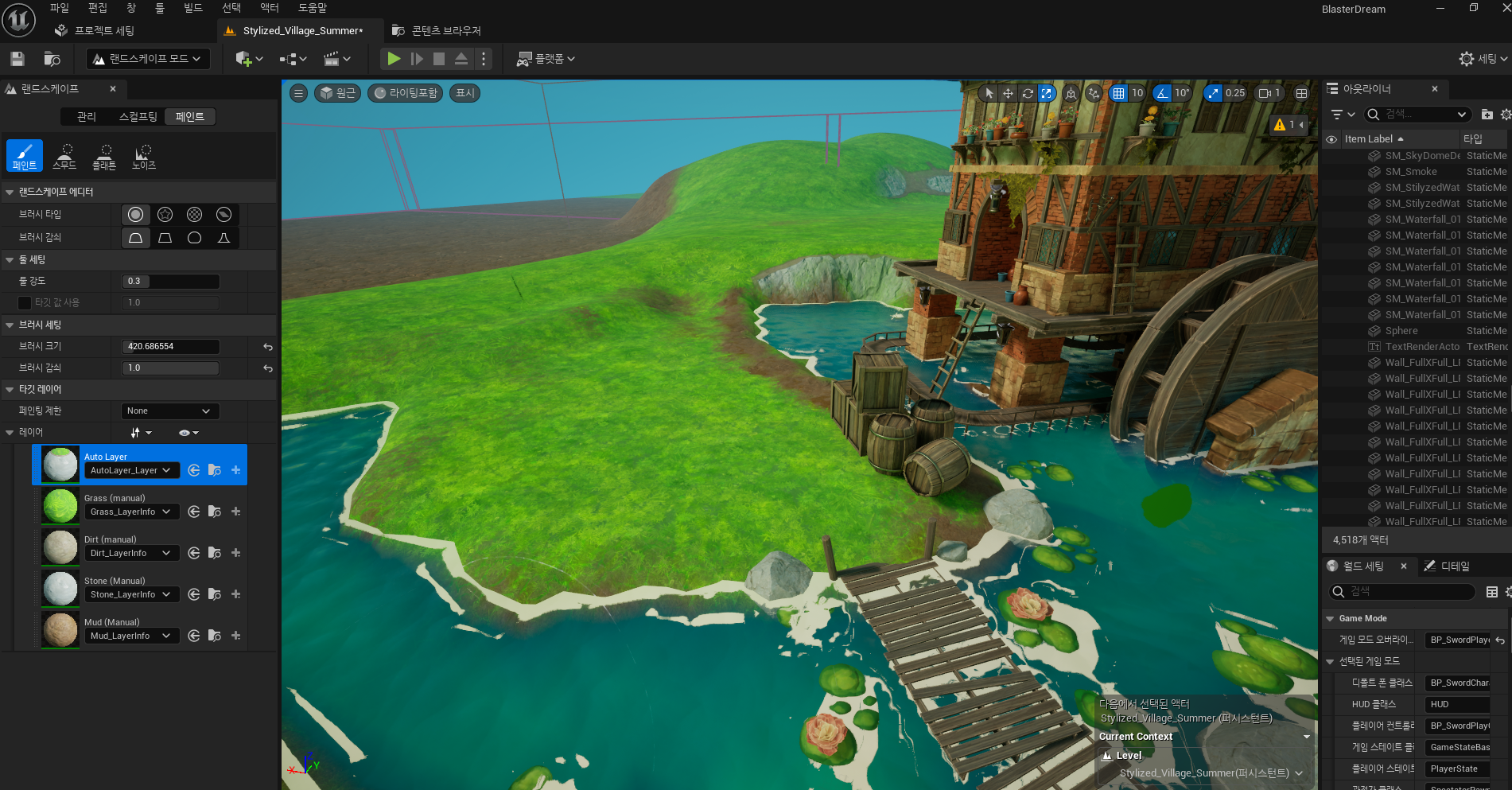
원하는 지형에 원하는 레이어를 그려서 만들어줍니다
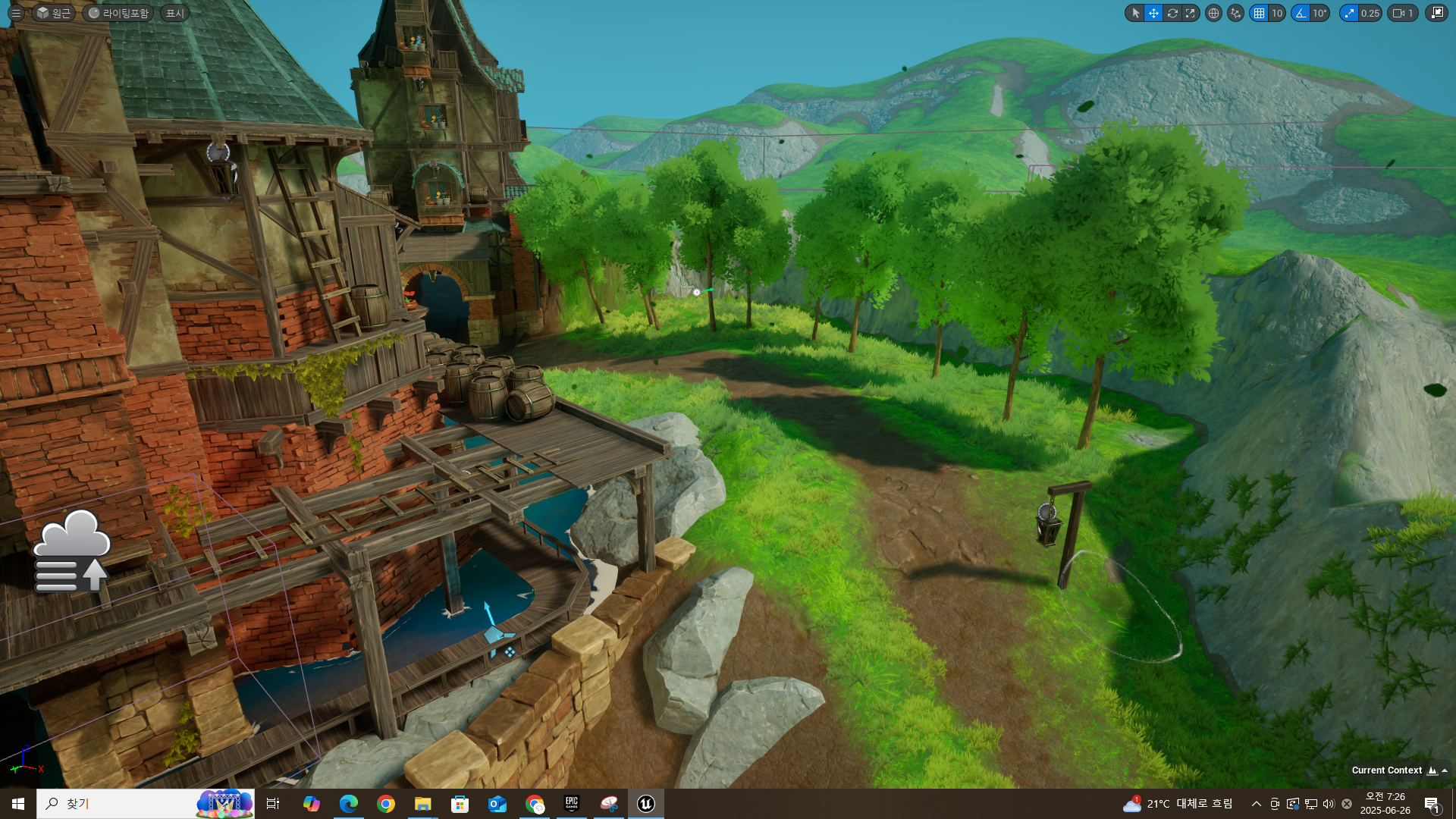
또한 폴리지로 풀이나 나무를 심어줍니다
한개한개 전부다 스태틱 메시로 설치하게된다면 렉을 유발할수 있기 때문에 폴리지를 사용합니다
랜드스케이프모드의 스컬프팅 모드로 원하는 지형을 생성해줍니다
지형의 재질과 알맞게 레이어를 페인팅해줍니다
랜드스케이프에 각각 알맞은 레이어에 알맞은 피지컬 메테리얼을 사용하여
알맞은 사운드와 나이아가라or파티클 을 소환하여 알맞은 발소리를 만들어보도록 하겠습니다
글은 이전포스트해뒀던 글에서 이어집니다 해당 밑의 글부터는 이전글을 읽어야지만 이해할수 있습니다
2025.05.30 - [Unreal5 프로젝트 다이어리] - Unreal - Foot Step Sound
Unreal - Foot Step Sound
먼저 사용할 사운드를 구해줍니다 프로젝트세팅의 Physics에 사용할 surface type을 지정해줍니다 피지컬 메테리얼을 생성해줍니다 해당 피지컬 메테리얼의 프로퍼티를 이름과 맞게 설정해줍니다
lucodev.tistory.com
해당글은 스태틱 메시만 한 상태입니다
랜드스케이프버전을 추가하도록 하겠습니다
//foot Step
UPROPERTY(EditAnywhere, Category = "Sound")
TArray<USoundBase*> sound_NormalTile;

UPROPERTY(EditAnywhere, Category = "Sound")
TArray<USoundBase*> sound_DungeonTile;

UPROPERTY(EditAnywhere, Category = "Sound")
TArray<USoundBase*> sound_Sand;

UPROPERTY(EditAnywhere, Category = "Sound")
TArray<USoundBase*> sound_Wood;

UPROPERTY(EditAnywhere, Category = "Sound")
TArray<USoundBase*> sound_Grass;

UPROPERTY(EditAnywhere, Category = "Sound")
TArray<USoundBase*> sound_Water;

UPROPERTY(EditAnywhere, Category = "Sound")
TArray<USoundBase*> sound_Stone;
//landscape
FHitResult randScapeHitResult = {};
FCollisionQueryParams randScapeParam = {};
randScapeParam.bReturnPhysicalMaterial = true;
randScapeParam.AddIgnoredActor(this);
bool bHitRandScape = GetWorld()->LineTraceSingleByChannel(randScapeHitResult, startPoint, endPoint, ECC_GameTraceChannel6, randScapeParam);

if (bHitRandScape)
{
	// PhysMaterial 얻기
	UPhysicalMaterial* physMat = randScapeHitResult.PhysMaterial.Get();

	if (physMat)
	{
		// SurfaceType 가져오기
		EPhysicalSurface surfaceType = UPhysicalMaterial::DetermineSurfaceType(physMat);
		switch (surfaceType)
		{
		case SurfaceType_Default:
			break;
			//NormalTile
		case SurfaceType1:
			if (sound_NormalTile.Num() > 0)
			{
				int32 normalTileIndex = FMath::RandRange(0, sound_NormalTile.Num() - 1);
				UGameplayStatics::PlaySoundAtLocation(GetWorld(), sound_NormalTile[normalTileIndex], hit.ImpactPoint);
			}
			break;
			//DungeonTile
		case SurfaceType2:
			if (sound_DungeonTile.Num() > 0)
			{
				int32 dungeonTileIndex = FMath::RandRange(0, sound_DungeonTile.Num() - 1);
				UGameplayStatics::PlaySoundAtLocation(GetWorld(), sound_DungeonTile[dungeonTileIndex], hit.ImpactPoint);
			}
			break;
			//Sand
		case SurfaceType3:
			if (sound_Sand.Num() > 0)
			{
				int32 sandIndex = FMath::RandRange(0, sound_Sand.Num() - 1);
				UGameplayStatics::PlaySoundAtLocation(GetWorld(), sound_Sand[sandIndex], hit.ImpactPoint);
			}
			break;
			//Wood
		case SurfaceType4:
			if (sound_Wood.Num() > 0)
			{
				int32 woodIndex = FMath::RandRange(0, sound_Wood.Num() - 1);
				UGameplayStatics::PlaySoundAtLocation(GetWorld(), sound_Wood[woodIndex], hit.ImpactPoint);
			}
			break;
			//Grass
		case SurfaceType5:
			if (sound_Grass.Num() > 0)
			{
				int32 grassIndex = FMath::RandRange(0, sound_Grass.Num() - 1);
				UGameplayStatics::PlaySoundAtLocation(GetWorld(), sound_Grass[grassIndex], hit.ImpactPoint);
			}
			break;
			//Water
		case SurfaceType6:
			if (sound_Water.Num() > 0)
			{
				int32 waterIndex = FMath::RandRange(0, sound_Water.Num() - 1);
				UGameplayStatics::PlaySoundAtLocation(GetWorld(), sound_Water[waterIndex], hit.ImpactPoint);
			}
			break;
		case SurfaceType7:
			//Stone
			if (sound_Stone.Num() > 0)
			{
				int32 stoneIndex = FMath::RandRange(0, sound_Stone.Num() - 1);
				UGameplayStatics::PlaySoundAtLocation(GetWorld(), sound_Stone[stoneIndex], hit.ImpactPoint);
			}
			break;
		default:
			break;
		}
	}
}
랜드스케이프의 레이어를 선택해줍니다

피지컬 메테리얼에 값을 할당을 해줍니다

또한 알맞은 파티클/나이아가라 를 스폰시켜주었습니다
//footstep effect
UPROPERTY(EditAnywhere, Category = "FootStep")
UNiagaraSystem* normalTileEffect;

UPROPERTY(EditAnywhere, Category = "FootStep")
UNiagaraSystem* dungeonTileEffect;

UPROPERTY(EditAnywhere, Category = "FootStep")
UNiagaraSystem* sandEffect;

UPROPERTY(EditAnywhere, Category = "FootStep")
UNiagaraSystem* woodEffect;

UPROPERTY(EditAnywhere, Category = "FootStep")
UNiagaraSystem* grassEffect;

UPROPERTY(EditAnywhere, Category = "FootStep")
UNiagaraSystem* waterEffect;

UPROPERTY(EditAnywhere, Category = "FootStep")
UNiagaraSystem* stoneEffect;
스폰의 위치는 캡슐컴포넌트의 바닥에서
스폰방식은 풀링방식으로 스폰
//loc, rot
UCapsuleComponent* characterCapsule = GetCapsuleComponent();
FVector niagaraBottomLoc = characterCapsule->GetComponentLocation() - FVector(0, 0, characterCapsule->GetScaledCapsuleHalfHeight());
FVector spawnLocation = niagaraBottomLoc + FVector(0, 0, 5.0f);
FRotator spawnRotation = FRotator::ZeroRotator;
UNiagaraFunctionLibrary::SpawnSystemAtLocation(GetWorld(), normalTileEffect, spawnLocation, spawnRotation, FVector(1.0f), true, true, ENCPoolMethod::AutoRelease);
'Unreal 프로젝트 다이어리 > 첫번째 프로젝트' 카테고리의 다른 글
| Unreal - 컷씬 리터칭 (0) | 2025.06.27 |
|---|---|
| Unreal - 비동기 로딩 Level Streaming (0) | 2025.06.26 |
| Unreal - BGM, 사운드 관리법 (0) | 2025.06.21 |
| Unreal - Material Parameter Collection 사용하기 (0) | 2025.06.21 |
| Unreal - 드래곤 캐릭터 만들기(2) (0) | 2025.06.14 |